
Bright Data Scraping Browser Review:
Is It Better Than Headless Browsers?
We tested the Bright Data Scraping Browser against traditional headless browsers to see if its automatic anti-bot bypass is worth $8/GB in 2026.
⚡ Quick Verdict
Bright Data Scraping Browser is a cloud-hosted Chromium browser that handles CAPTCHA solving, fingerprint spoofing, and bot detection bypass automatically — so you only change one endpoint in your existing Puppeteer or Playwright script and it just works. The trade-off is real cost: at $8/GB pay-as-you-go, scraping a JavaScript-heavy site costs significantly more than running your own Playwright setup. But for teams that have spent weeks maintaining anti-detection scripts that keep breaking, the time savings often justify the price. Backed by Bright Data’s 400M+ IP network and 99.99% uptime SLA, it is the most mature cloud browser on the market.
Dev teams scraping JS-heavy, bot-protected sites at scale
You wrote a Playwright scraper that worked perfectly last Tuesday. This Tuesday it hits a Cloudflare challenge on every third request and returns nothing. You patch the user-agent. You add stealth plugins. You rotate proxies. Two days later it breaks again. Sound familiar?
This is the core frustration that drives developers toward cloud-based scraping browsers. You want to extract data from real websites — product prices, search results, social feeds — and those sites are increasingly good at detecting automated browsers. Self-managed headless Chromium setups require constant babysitting. In this Bright Data Scraping Browser review, we cover whether the automatic anti-bot layer actually solves that problem at a price that makes sense.
The Bright Data Scraping Browser is the most established answer to this problem. It runs Chromium instances in Bright Data’s cloud, routes traffic through their 400M+ IP residential network, and handles anti-bot systems automatically. You connect via a standard CDP (Chrome DevTools Protocol) endpoint, and the rest is invisible to you.
The question is whether it’s worth the price in 2026. Running your own Playwright setup costs essentially nothing per GB. Bright Data’s web scraping browser starts at $8/GB. Over 100 GB of monthly scraping that’s $800 versus near-zero. We’ll break down when that delta is worth paying and when it isn’t.
What Is Bright Data Scraping Browser?
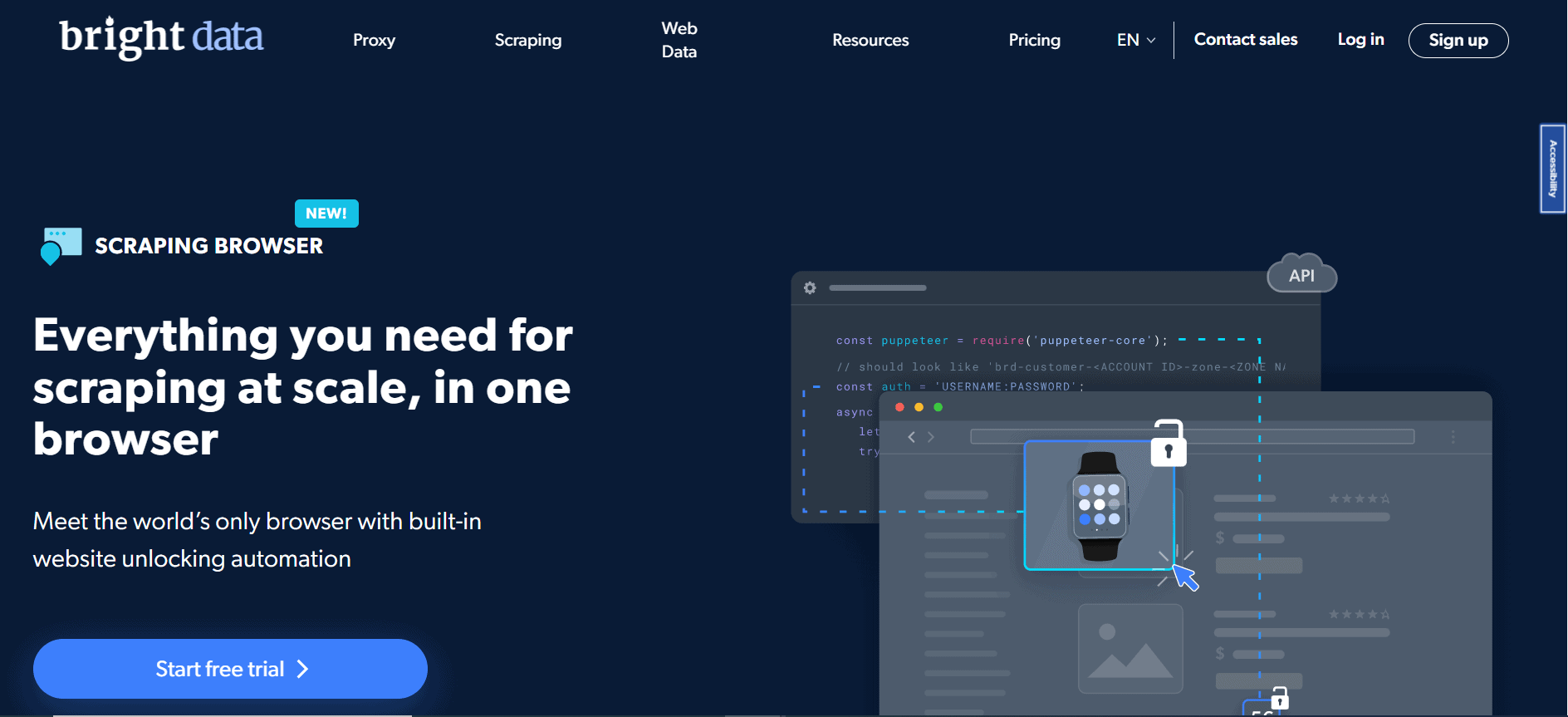
The Bright Data Scraping Browser — also called the Browser API in Bright Data’s product nav — is a managed cloud browser service. Instead of launching a local Chromium instance, you point your Puppeteer or Playwright script at a remote WebSocket endpoint. Bright Data spins up the browser in their infrastructure, routes requests through residential IPs, and handles anti-bot layers automatically before returning the rendered HTML back to your code.
The platform does several things that a standard headless browser in 2026 cannot:
- Solves CAPTCHAs automatically — no third-party CAPTCHA service needed
- Applies browser fingerprinting to make each session look like a genuine user on a real device
- Rotates residential IPs from Bright Data’s 400M+ IP pool with every request or session
- Handles JavaScript-heavy single-page applications with full rendering support
- Manages cookies and session state across multi-step scraping workflows
- Auto-retries failed requests with fresh IPs without any code on your side
- Scales to unlimited concurrent sessions — no queue, no thread limits
- Provides real-time Chrome DevTools Protocol (CDP) debugging in the dashboard
Company Background
Bright Data started in 2014 as Luminati Networks, a proxy provider. It rebranded in 2021 and has since expanded into a full web data platform serving 20,000+ customers including Deloitte, McDonald’s, Nokia, Pfizer, and Oxford University. The Scraping Browser launched as a direct answer to the growing complexity of anti-bot systems — recognizing that proxies alone were no longer enough for JavaScript-heavy targets. Bright Data is ISO 27001 certified, GDPR ready, and has won Proxyway’s Most Innovative Provider award (2023) and Best Platform for Proxies award (2024). For a broader look at the full product suite, see our complete Bright Data review.
Who Is the Bright Data Browser Scraping Tool For?
✓ Ideal Users
- Data engineers at mid-to-large companies — teams that scrape hundreds of gigabytes monthly and can’t afford the engineering time to maintain custom anti-detection stacks
- eCommerce intelligence teams — price monitoring across Amazon, Shopify stores, and retailer sites that aggressively block datacenter IPs and plain headless browsers
- Market research firms — organizations collecting competitive data from financial sites, job boards, and news sources that require JavaScript rendering
- SEO agencies running SERP monitoring — tracking rankings and featured snippets at scale across multiple regions and devices
- AI/ML teams building training datasets — collecting structured web data from bot-protected sources for model training pipelines
- Developers already using Puppeteer or Playwright — teams that want anti-bot bypass without rewriting their existing scraping code
✗ Not Ideal For
The Scraping Browser is probably overkill if:
- You scrape fewer than 5 GB/month — plain proxies are far cheaper at that volume
- Your targets are simple HTML pages with no JavaScript rendering requirements
- You need a free or near-free scraping solution — there is no free tier for the Browser API
- You’re a solo developer on a personal project with a tight budget
- You need Google Search results specifically — Bright Data blocks Google queries and directs you to their SERP API instead (see our SERP API providers comparison)
Features & What You Get
Core Cloud Browser Capabilities
The Scraping Browser gives you a fully managed Chromium environment in the cloud. You interact with it exactly as you would a local browser instance, but Bright Data handles all the infrastructure, IP rotation, and anti-detection automatically.
- CDP endpoint access — connect with any Puppeteer, Playwright, or Selenium script by changing one line: the WebSocket URL
- Full JavaScript rendering — renders SPAs, lazy-loaded content, and dynamic data exactly as a real user would see it
- Screenshot and DOM capture — extract full-page screenshots or specific element HTML at any point in a session
- Multi-step workflows — click buttons, fill forms, scroll pages, and navigate between pages within a single persistent session
Anti-Bot & Unblocking Features
- Automatic CAPTCHA solving — handles reCAPTCHA v2/v3, hCaptcha, and other challenge types without manual intervention
- Browser fingerprinting — each session presents a unique, realistic browser fingerprint (canvas, WebGL, fonts, screen resolution, timezone) that passes TLS fingerprint checks
- User-agent rotation — cycles through real desktop and mobile browser strings matched to the IP type being used
- Referrer and cookie management — mimics realistic browsing sessions with appropriate headers and cookie handling
- Automatic IP rotation — powered by Bright Data’s 400M+ residential IP pool across 195 countries
- Auto-retry logic — failed requests are automatically retried with a fresh IP and session without any code change
What is Browser Fingerprinting? Every browser sends dozens of signals that identify it — canvas rendering quirks, installed fonts, WebGL renderer strings, screen resolution, and more. Bot detection systems collect these signals and compare them against known headless browser fingerprints. Bright Data Scraping Browser injects realistic, randomized values into each session so it appears to originate from a real consumer device, not a server-side bot.
Scalability & Infrastructure
- Unlimited concurrent sessions — no session limits or queuing; spin up thousands of parallel browser instances without infrastructure management
- Auto-scaling cloud infrastructure — Bright Data handles capacity automatically; you don’t manage servers, containers, or browser pools
- 99.99% uptime SLA — enterprise-grade availability with network status monitoring at brightdata.com/network-status
- Geo-targeting — direct browser sessions through IPs in specific countries, states, cities, or ASNs to see geo-specific content
- AWS Marketplace availability — payment available via AWS Marketplace for teams with existing cloud billing relationships
Debugging & Developer Tools
- Real-time Chrome DevTools — inspect live sessions in your Bright Data dashboard with the same DevTools you use locally; great for debugging complex scraping flows
- Bright Data MCP server (free) — connect the scraping browser to AI coding agents like Claude Code or Cursor directly
- Code examples in Python, Node.js, Java, C#, and Shell — ready-to-run snippets for all major languages in the documentation
Compliance & Security
- ISO 27001 certified
- GDPR ready and CCPA compliant
- SOC certified
- WIPO Alert partner and TAG member
- KYC verification required to access the full network — reduces abuse by bad actors and keeps the IP pool clean
How Bright Data Scraping Browser Works
Step 1 — Create a Bright Data account and add the Browser API zone
Sign up at brightdata.com. Once inside the dashboard, navigate to “My Proxies” and add a new zone for the Browser API product. Name it, set your geo-targeting preferences, and note the WebSocket endpoint credentials (host, port, username, password). The zone is ready in seconds — no waiting for manual approval like with the full residential proxy KYC flow.
Step 2 — Change one line in your existing Puppeteer or Playwright script
Replace your local browser launch call with a WebSocket connection to Bright Data’s endpoint. In Puppeteer that means swapping puppeteer.launch() for puppeteer.connect({ browserWSEndpoint: 'wss://...' }). In Playwright, you use chromium.connectOverCDP(). Everything else in your script — page navigation, element selectors, data extraction logic — stays exactly the same.
Step 3 — Run your scraper and let Bright Data handle the blocks
When your script makes requests, Bright Data routes each session through a residential IP, applies fingerprinting, and intercepts any CAPTCHA or bot challenge. From your script’s perspective, the page loads normally. You don’t see the challenge — Bright Data solves it in the background before returning the rendered page to your code.
Step 4 — Scale up with concurrent sessions
Need to scrape 10,000 product pages? Open 100 or 1,000 browser sessions simultaneously. Bright Data’s cloud infrastructure scales automatically. You pay per GB of traffic consumed, not per session or per page. Monitor usage and set spend alerts in the dashboard so you don’t get surprised by a large bill.
Step 5 — Debug issues with real-time Chrome DevTools
If a scraping flow breaks — a selector stops working, a site redesign changes the DOM, a redirect loop appears — open the live session in Chrome DevTools from within your Bright Data dashboard. You see the actual browser state in real time, just like debugging a local browser. Fix the selector, update your script, redeploy.
Bottom line: The migration from a local headless browser to Bright Data Scraping Browser typically takes under an hour for a developer already using Puppeteer or Playwright. The technical lift is minimal. The ongoing maintenance savings — no more patching anti-detection scripts after every site update — are where the real ROI lives.
Pricing & Plans
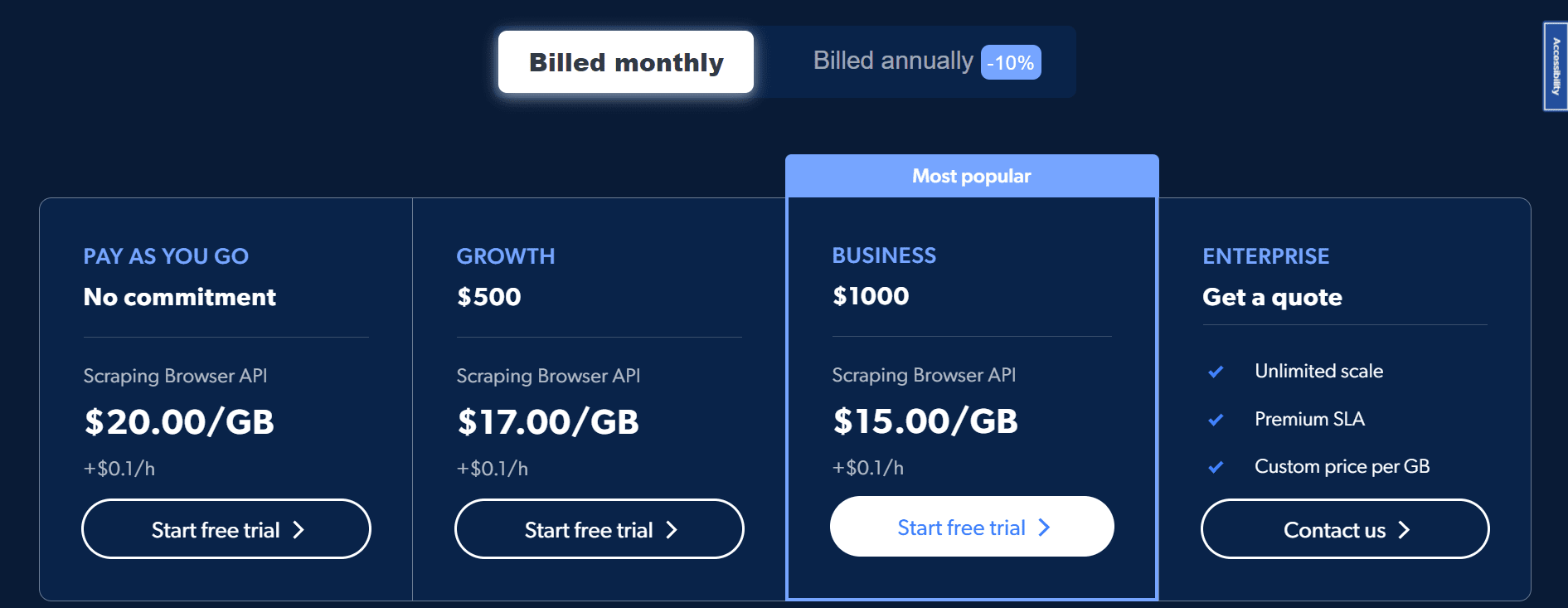
The Scraping Browser is billed per GB of browser traffic. You pay for the data transferred through your cloud browser sessions — not per page, not per session. Subscription plans reduce the per-GB rate and include a monthly GB allocation; overage is billed at the next-tier rate.
| Plan | Monthly Cost | Price per GB | GB Included | Best For |
|---|---|---|---|---|
| Pay As You Go | No commitment | $8.00/GB | — | Occasional use, testing, low-volume projects |
| Starter | $499/mo | $7.00/GB | 71 GB | Small teams with consistent monthly scraping needs |
| Growth | $999/mo | $6.00/GB | 166 GB | Mid-size teams, regular large-scale crawls |
| Business | $1,999/mo | $5.00/GB | 399 GB | Data-intensive operations needing dedicated support |
| Enterprise | Custom | Custom | Custom | 1 TB+/month, custom SLA, unlimited scaling |
Important billing notes:
- Subscription plans are a minimum monthly commitment, not a cap — if you use more than your included GB, overage is billed at the plan rate
- Unused GB do not roll over to the next month
- You are billed on the 1st of each month; if you join mid-month, the first payment is prorated
- At 85% of your balance consumed, Bright Data emails a warning; at 100%, your account is suspended until you add funds
- Auto-recharge can be enabled to avoid unexpected downtime
To put the pricing in concrete terms:
- Scraping 10 GB/month at PAYG: $80
- Scraping 71 GB/month on the Starter plan: $499 (vs $568 at PAYG — saves $69/mo)
- Scraping 166 GB/month on Growth: $999 (vs $1,328 at PAYG — saves $329/mo)
- Scraping 399 GB/month on Business: $1,999 (vs $3,192 at PAYG — saves $1,193/mo)
Trial and refund policy: Bright Data offers a 7-day free trial for companies on proxy products. There is no dedicated free tier for the Browser API, but you can test the product on a PAYG basis with no minimum spend commitment. There is no published refund policy — contact [email protected] for billing disputes. New signups get up to a $500 first-deposit credit match. For a full breakdown of all Bright Data products and tiers, see our Bright Data pricing guide.
Promo code: The code PROXYWAY60 gives 60% off all proxy plans and the Browser API for new users via the Proxyway affiliate link.
Pros & Cons
Pros ✓
- One-endpoint migration — plug into your existing Puppeteer or Playwright code with a single line change; no rewriting
- Automatic CAPTCHA solving — reCAPTCHA, hCaptcha, and others handled without external solvers or manual intervention
- Backed by 400M+ residential IPs — far larger IP pool than any competitor, meaning fewer repeated IP bans
- Unlimited concurrent sessions — scale to thousands of parallel browsers without managing any infrastructure
- Real-time Chrome DevTools debugging — inspect live sessions from the dashboard; invaluable for complex workflows
- Geo-targeting at session level — target country, state, city, or ASN per individual browser session
- ISO 27001 certified and GDPR ready — enterprise compliance that matters when clients ask about data security
- Pay-as-you-go available — no forced subscription if you want to try it first
Cons ✗
- $8/GB PAYG is expensive — a self-hosted Playwright + proxy setup costs a fraction of this per GB
- $499/month minimum for subscriptions — pricing is enterprise-focused; small teams feel the sting
- Costs compound fast at high volume — 500 GB/month on PAYG is $4,000; even the Business plan at $1,999 has limits
- Google Search is blocked — Bright Data blocks Google queries through the browser; you need their separate SERP API for that
- No free tier — no free permanent tier exists for the Browser API; PAYG testing costs real money
- Complex onboarding for new users — zone setup, credentials, and billing configuration has a learning curve versus simpler competitors
Bottom Line: This browser scraping tool wins on reliability, scale, and breadth of anti-bot capabilities. It loses on price for teams that haven’t yet hit the wall with their self-managed setup. If your current Playwright scraper works fine, stick with it. If you’re spending more than a day a week fighting CAPTCHAs and bot blocks, the cost calculus shifts quickly in Bright Data’s favor.
Scraping Browser vs Headless Browser & Cloud Alternatives
The Scraping Browser competes in two directions: against local headless browser setups (Playwright, Puppeteer) and against other cloud scraping browser services. Here is how it stacks up on the metrics that matter most.
Bright Data Scraping Browser vs. Playwright (Self-Hosted)
| Factor | Bright Data Scraping Browser | Playwright (Self-Hosted) |
|---|---|---|
| Setup time | 1 endpoint change, under 1 hour | Full infrastructure setup required |
| Anti-bot bypass | Automatic — no code needed | Manual — custom plugins, constant patching |
| CAPTCHA solving | Built-in, automatic | Third-party service required ($30–$100/mo) |
| IP rotation | 400M+ residential IPs, automatic | You manage proxy purchase and rotation logic |
| Scaling | Unlimited concurrent sessions, no infra | Requires servers/containers per browser instance |
| Maintenance burden | Zero — Bright Data handles updates | High — frequent stealth plugin updates needed |
| Cost at 10 GB/mo | $80 (PAYG) | ~$10–$30 (proxies + server) |
| Cost at 100 GB/mo | $499–$800 | $50–$200 (proxies + servers) |
| Debugging | Real-time Chrome DevTools in dashboard | Local DevTools; harder with distributed setup |
| Compliance | ISO 27001, GDPR, SOC | Depends on your proxy provider |
Winner for cost: Playwright self-hosted | Winner for reliability & zero maintenance: Bright Data Scraping Browser | Winner for scale: Bright Data Scraping Browser
Bright Data Scraping Browser vs. Oxylabs Web Scraper API
| Factor | Bright Data Scraping Browser | Oxylabs Web Scraper API |
|---|---|---|
| Product type | Cloud browser (CDP/Puppeteer/Playwright) | HTTP-based scraping API |
| Script compatibility | Works with existing Puppeteer/Playwright code | Requires API integration (not CDP) |
| JavaScript rendering | Full — real Chromium browser | Yes — built-in headless rendering |
| Residential IP pool | 400M+ IPs, 195 countries | 175M+ IPs, 195+ countries |
| CAPTCHA solving | Automatic, built-in | Automatic, built-in |
| Starting price | $8/GB (PAYG) · $499/mo subscription | from $49/mo (Scraper API Micro) · from $6/GB residential (5 GB min $30/mo) |
| Concurrent sessions | Unlimited | Unlimited (API-based, no browser limits) |
| Interactive scraping | Yes — full browser interaction (clicks, forms) | Limited — primarily GET/POST requests |
| Geo-targeting | Country, state, city, ASN | Country, state, city |
| Trustpilot rating | 4.6/5 | 4.5/5 |
Winner for Puppeteer/Playwright teams: Bright Data Scraping Browser | Winner for HTTP API simplicity: Oxylabs | Winner for interactive scraping workflows: Bright Data Scraping Browser
🏆 Choose Bright Data Scraping Browser When
- You already have Puppeteer or Playwright code and want anti-bot bypass without rewriting it
- You need to click, scroll, fill forms, or interact with a page before extracting data
- You’re scraping highly protected sites (LinkedIn, Amazon, social media) where datacenter IPs get banned instantly
- You need unlimited concurrent browsers without managing server infrastructure
- Enterprise compliance (ISO 27001, GDPR) is a requirement for your team
🔍 Choose Bright Data Alternatives When
- You just need simple HTML pages scraped — no JS rendering required; use basic proxy + requests
- Budget is under $100/month — self-hosted Playwright + cheap proxies beats this on price
- You need Google Search results — Bright Data blocks Google; use Oxylabs SERP API or ScrapingBee
- You want a simple HTTP API without managing WebSocket connections and CDP — Oxylabs or ScrapingBee are simpler
- You want LLM-ready markdown output from scrapes — Firecrawl is built for that use case
- You need browser profile management for multi-account workflows — see our best antidetect browsers guide
Ratings Breakdown
| Category | Score | Notes |
|---|---|---|
| Anti-Bot Performance | 4.8 / 5 | Automatic CAPTCHA solving, residential IP rotation, fingerprinting — handles the hardest targets |
| Ease of Integration | 4.5 / 5 | One endpoint change for Puppeteer/Playwright users; initial zone setup has a learning curve |
| Scalability | 4.7 / 5 | Unlimited concurrent sessions with zero infrastructure management; enterprise-grade uptime (99.99%) |
| Pricing & Value | 3.5 / 5 | Expensive at $8/GB PAYG; subscription plans offer better value but $499/mo minimum is steep for small teams |
| Debugging & Developer Experience | 4.4 / 5 | Real-time Chrome DevTools in dashboard is a genuine differentiator; docs and code examples are comprehensive |
| Compliance & Reliability | 4.6 / 5 | ISO 27001, GDPR, SOC, 99.99% uptime, KYC-gated access; trusted by Fortune 500 companies |
| Overall Rating | 4.3 / 5 | Best-in-class anti-bot tech at a premium price; delivers on its core promise reliably |
The Bright Data Scraping Browser scores highest on anti-bot performance and scalability — the two things it was built to solve. It loses points on pricing: at $8/GB pay-as-you-go, it’s one of the most expensive web scraping browser options on the market in 2026. Teams with high scraping volumes will find the subscription plans much better value, but the $499 minimum monthly commitment still prices out solo developers and small startups. Developer experience is genuinely strong, particularly the real-time DevTools debugging which is hard to find in competing products.
Is Bright Data Scraping Browser Legit, Safe & Worth It?
Legitimacy & Safety
- ✓ Founded 2014, rebranded 2021 — over a decade in operation; one of the oldest proxy and web data companies in the market
- ✓ 20,000+ active customers including Deloitte, McDonald’s, Nokia, Pfizer, and Oxford University — enterprise clients conduct due diligence before committing
- ✓ ISO 27001 certified — formal third-party audit of their information security management system
- ✓ GDPR ready and CCPA compliant — data handling practices reviewed against EU and California privacy regulations
- ✓ Trustpilot: 4.6/5 · G2: 4.6/5 · Capterra: 4.8/5 — consistent high ratings across independent review platforms
- ✓ Proxyway Most Innovative Provider 2023 & Best Platform 2024 — third-party industry awards from the most respected proxy benchmarking publication
- ✓ KYC-gated access — all users must verify identity before accessing the full network; this keeps bad actors out and the IP pool trustworthy
- ✓ Trust center at brightdata.com/trustcenter — public-facing compliance documentation
Long-Term Reliability
Bright Data has maintained industry-leading uptime (99.99% SLA) across its product suite for years. The Scraping Browser runs on the same infrastructure that powers their residential proxy network — one of the most battle-tested systems in the web data industry. Support is available 24/7 via calls, live chat, and email. Enterprise customers get a dedicated account manager. The product has been continuously updated since launch, with the 2025 MCP server integration and AI agent browser additions showing active investment in the product line.
Reality check: Bright Data is a premium product at a premium price. Some users on review platforms note that the onboarding process — setting up zones, configuring credentials, understanding billing — takes longer than competitors. If you run into technical issues, the documentation is extensive, but getting a human on support can be slower for PAYG customers than for subscription holders. Budget for a day or two of setup time the first time you use the product.
Worth It? Final Verdict
YES — Worth It If
- You’re spending more than 4 hours/week maintaining anti-bot patches and your scraper breaks regularly
- You scrape 20+ GB/month from JavaScript-heavy or aggressively protected targets
- Your team already uses Puppeteer or Playwright — migration is nearly zero effort
- Enterprise compliance documentation is required by your clients or legal team
- You need geo-specific data (e.g., prices in different countries) — session-level geo-targeting handles this cleanly
NO — Not Worth It If
- You scrape fewer than 10 GB/month — the cost is hard to justify at low volumes
- Your targets are basic HTML pages that don’t require JavaScript rendering
- Your budget is under $100/month — self-hosted Playwright with affordable proxies wins on price
- You only need Google Search results — Bright Data blocks Google; use their SERP API or a competitor
- You prefer a simple HTTP API over CDP — Oxylabs or ScrapingBee are better fits
Our recommendation: Start on PAYG to test your actual GB consumption before committing to a subscription. If you’re using more than 71 GB/month consistently, move to the Starter plan at $499/month — you’ll save money immediately. For teams exceeding 166 GB/month, the Growth plan at $999/month is the sweet spot on the price-per-GB curve.
Frequently Asked Questions
What is Bright Data Scraping Browser?
The Bright Data Scraping Browser (also called the Browser API) is a cloud-hosted Chromium browser service. You connect your existing Puppeteer, Playwright, or Selenium script to a remote WebSocket endpoint. The browser runs in Bright Data’s cloud, routes traffic through residential IPs, solves CAPTCHAs automatically, and applies browser fingerprinting to bypass anti-bot systems — all without changes to the rest of your scraping code.
Scraping browser vs headless browser: what is the difference?
A standard headless browser like Playwright’s built-in Chromium runs locally, uses your own IP, and sends signals that bot detection systems immediately recognize as automated traffic. The Bright Data Scraping Browser, by contrast, runs in the cloud, routes through residential IPs, applies realistic browser fingerprinting (canvas, WebGL, fonts, screen resolution), handles CAPTCHAs automatically, and auto-retries failed requests. The result is that target sites see it as a real human user rather than a bot.
Is Bright Data Scraping Browser compatible with Puppeteer and Playwright?
Yes. It is compatible with Puppeteer, Playwright, and Selenium. The integration requires one line change: replace your local browser launch call with a WebSocket connection to Bright Data’s CDP endpoint. In Puppeteer, you use puppeteer.connect(). In Playwright, you use chromium.connectOverCDP(). Everything else in your script stays the same.
How much does Bright Data Scraping Browser cost?
Pricing is per GB of browser traffic:
- Pay As You Go: $8/GB, no commitment
- Starter: $7/GB, $499/month (71 GB included)
- Growth: $6/GB, $999/month (166 GB included)
- Business: $5/GB, $1,999/month (399 GB included)
- Enterprise: Custom pricing for 1 TB+/month
The nav menu advertises “from $5/GB” which refers to the Business plan tier. New users can also use the promo code PROXYWAY60 for 60% off their first period.
Does Bright Data Scraping Browser handle CAPTCHAs automatically?
Yes. CAPTCHA solving is built into the service and requires no configuration on your part. It handles reCAPTCHA v2, reCAPTCHA v3, hCaptcha, and other common challenge types. You do not need to integrate a third-party CAPTCHA solving service — Bright Data manages this as part of the browser session.
Can I scrape Google Search results with Bright Data Scraping Browser?
No. Bright Data explicitly blocks Google Search queries through the Browser API. If you need Google SERP data, you must use their separate SERP API product, which starts at $1/1K results, or consider one of the top SERP API providers instead. This is a known limitation — Bright Data enforces this restriction as a compliance measure.
Is there a free trial for Bright Data Scraping Browser?
There is no free tier for the Browser API specifically. Bright Data does offer a 7-day free trial for company accounts on their proxy products. For the Browser API, the lowest barrier to entry is the Pay As You Go plan — no subscription required, you only pay for the GB you use. New signups also get up to a $500 first-deposit credit match, which effectively gives you some free testing budget.
How does geo-targeting work in Bright Data Scraping Browser?
You can target specific countries, states, cities, or ASNs at the session level. This means individual browser sessions can be routed through IPs in the specific location you need — useful for seeing geo-specific prices, regional content, or local search results. Bright Data’s residential network covers 195 countries, so virtually any geo target is available.
How many concurrent browser sessions can I run?
There is no hard limit on concurrent sessions. Bright Data’s cloud infrastructure auto-scales to accommodate however many parallel browser instances your scraping workflow requires. You pay per GB consumed across all sessions — not per session or per concurrent limit. This makes it practical to run hundreds or thousands of browser instances simultaneously without managing server capacity yourself.
What debugging tools are available?
The Scraping Browser provides real-time Chrome DevTools access from within the Bright Data dashboard. You can inspect live browser sessions, examine the DOM, check network requests, and debug JavaScript errors exactly as you would with a local browser — but for cloud sessions running your scraping code. This is a meaningful differentiator compared to competitors that offer no live session inspection.
Is Bright Data Scraping Browser safe and compliant to use?
Bright Data is ISO 27001 certified, GDPR ready, CCPA compliant, and SOC certified. All users must complete KYC verification before accessing the full network. The company is a WIPO Alert partner and TAG member, and enforces an acceptable use policy that prohibits unauthorized access to password-protected systems. For enterprise teams with legal and compliance requirements, Bright Data is one of the few providers with documented third-party certification.
How do I cancel or change my Bright Data subscription?
Subscriptions can be managed from within the Bright Data dashboard at brightdata.com/cp/start. There is no published long-term lock-in — plans are billed monthly. Unused balance does not roll over at the end of a billing period. If you want to cancel, you can switch to the Pay As You Go model to avoid minimum monthly commitments. For billing disputes or refund requests, contact [email protected].
Final Verdict
The Bright Data Scraping Browser is the most mature cloud-based browser scraping solution on the market. It delivers on its core promise: you take an existing Puppeteer or Playwright script, swap one endpoint, and it works on sites that would block a bare headless browser. The automatic CAPTCHA solving, residential IP rotation, fingerprinting, and unlimited concurrency are all genuine and well-executed. For teams with real anti-bot pain, this is the product that actually fixes the problem.
The honest caveat is price. At $8/GB pay-as-you-go, it is expensive relative to a self-managed Playwright setup, and the $499/month minimum subscription price makes it hard to justify for low-volume or budget-constrained teams. It is a premium tool priced for teams with real scraping budgets. If you’re spending meaningful engineering time fighting bot detections every week, the cost is usually justified quickly. If your scraper mostly works fine, there is no reason to pay for it.
✓ What We Love
- One-endpoint Puppeteer/Playwright integration — migration takes under an hour
- Automatic CAPTCHA solving that genuinely works without configuration
- 400M+ residential IP pool — the largest in the industry by a wide margin
- Real-time Chrome DevTools debugging in the dashboard
- Unlimited concurrent sessions with zero infrastructure management
- ISO 27001 certified with full enterprise compliance stack
✗ What Could Be Better
- $8/GB PAYG is expensive for low-volume users
- $499/month subscription minimum shuts out small teams
- Google Search is blocked — requires a separate SERP API product
- No free permanent tier to test at scale before committing
- Initial zone and credential setup has a learning curve
Ready to Stop Fighting Bot Detections?
Bright Data Scraping Browser handles CAPTCHAs, fingerprinting, and residential IP rotation automatically. Change one line in your Puppeteer or Playwright script and start scraping sites that block every other approach.
Try Bright Data Scraping Browser →