
Dolphin Anty Review:
Is It the Best Anti-Detect Browser for Affiliate Marketers?
Our Dolphin Anty review covers pricing, fingerprint quality, the Synchronizer, and how it compares to GoLogin and Multilogin for affiliate marketers in 2026.
⚡ Quick Verdict
Dolphin Anty is a solid anti-detect browser built specifically for affiliate marketers and media buyers who need to run multiple ad accounts at scale. With 860,000+ daily users, a genuinely useful free plan (5 profiles, no time limit), a no-code automation builder, and the unique Synchronizer feature that mirrors actions across profiles simultaneously, it punches above its price point for Facebook Ads teams. The Trustpilot score (2.4/5) is a real concern worth addressing — but the low review volume (43 reviews) and G2 score of 4.4/5 across dedicated reviewers paint a more balanced picture. Not perfect, but among the strongest options for the affiliate niche.
Affiliate marketers, media buyers, Facebook Ads teams, crypto multi-accounters
Running Facebook Ads at scale means managing multiple accounts. That’s where every affiliate marketer hits the same wall: Facebook detects the pattern, flags the accounts, and bans them in bulk. Your ad spend disappears overnight. This Dolphin Anty review is here to tell you whether the tool actually solves that problem — or just promises to.
Anti-detect browsers exist to solve exactly this problem. They let you run isolated browser profiles — each with its own fingerprint, cookies, and proxy — so platforms see separate, unconnected users instead of one person operating dozens of accounts from the same machine.
Dolphin Anty is one of the most popular anti-detect browsers in the affiliate marketing community. It launched as a Russian-language tool, expanded globally, and now claims 860,000+ daily users and 2,200+ active teams. It won “Best Anti-Detect Browser 2023.”
But popularity doesn’t mean it’s the right tool for everyone. Its Trustpilot score sits at 2.4/5 — which deserves a direct, honest look. And there are real questions about Dolphin Anty pricing, fingerprint quality, and how it compares to GoLogin and Multilogin before you commit.
This review covers everything: what the Dolphin Anty anti-detect browser actually does, what it costs, where it wins, and where it falls short.
What Is Dolphin Anty?
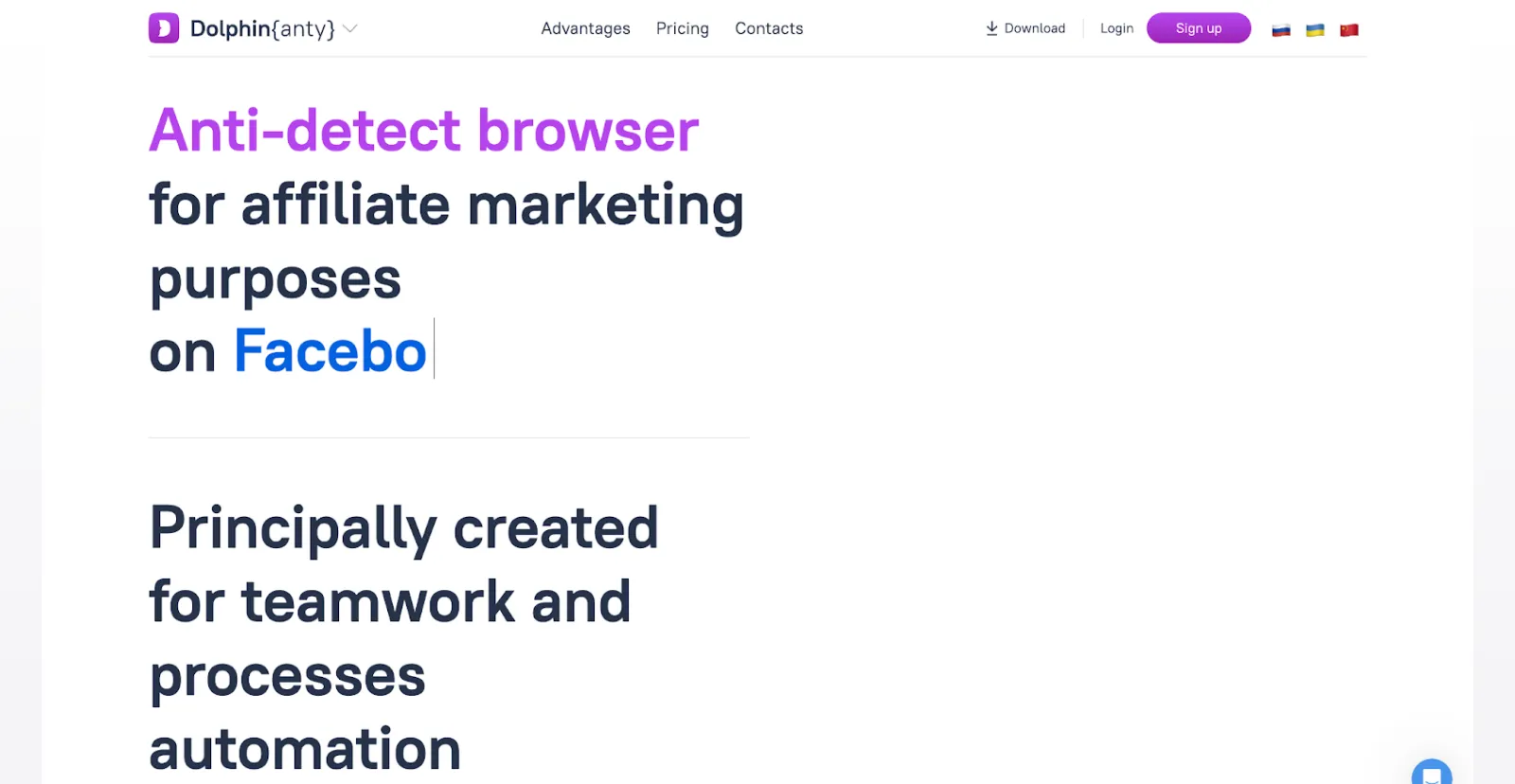
Dolphin Anty (stylized as Dolphin{anty}) is an anti-detect browser designed for managing multiple accounts without detection. It runs as a desktop application on Windows, macOS, and Linux, and lets you create isolated browser profiles — each with its own fingerprint, cookies, proxies, and browsing history — so websites and ad platforms cannot link them back to a single operator.
The platform specializes in:
- Creating browser profiles that appear as distinct devices to websites
- Spoofing 20+ fingerprint parameters (Canvas, WebGL, User-Agent, WebRTC, and more)
- Managing proxies for each profile (HTTP, HTTPS, SOCKS5)
- Automating repetitive multi-profile tasks with a no-code scenario builder
- Team collaboration with folder-level permissions and profile sharing
- Running bulk actions across profiles via the Synchronizer feature
Company Background & Evolution
Dolphin Anty was initially built for the Russian-speaking affiliate community, where multi-accounting for Facebook Ads and crypto platforms was (and is) common practice. The product found product-market fit quickly and expanded globally, attracting significant European and Brazilian user bases.
The company now positions itself as a team-native tool rather than just a solo-user browser. Features like folder-level permission management, profile transfer between teammates, shared proxy lists, and the REST API show a product built for operations that scale beyond one person.
With 860,000+ daily users and 2,200+ teams, Dolphin Anty has real traction. The question is whether it holds up technically and in terms of reliability — which we address directly in the “Is It Legit?” section below.
Who Is Dolphin Anty For?
✓ Ideal Users
Dolphin Anty is purpose-built for specific workflows. You’ll get the most value if you fall into one of these categories:
- Affiliate Marketers & Media Buyers — Running Facebook Ads or TikTok Ads at scale across multiple accounts. Dolphin Anty’s Synchronizer and no-code automation are built for exactly this workflow — warming accounts, bulk form-filling, and managing dozens of profiles without repetitive manual work.
- E-Commerce Multi-Sellers — Operating multiple Amazon, eBay, or Shopify seller accounts from a single machine. Each profile maintains its own isolated session so marketplaces don’t link your accounts together.
- Digital Agency Teams — Managing client ad accounts across social networks with granular permission controls. Teammates can be assigned specific profile folders without seeing (or accidentally altering) others.
- Crypto & Airdrop Hunters — Running multiple wallet addresses and DeFi platform accounts. The profile isolation and proxy integration prevent sybil detection on blockchain platforms.
- Web Scrapers & Researchers — Collecting data anonymously at scale using automated browser scenarios without triggering bot-detection mechanisms. If you also need rotating IPs, see our guide to the best mobile proxies for scraping.
✗ Not Ideal For
Skip Dolphin Anty if you:
- Only need a regular privacy browser for personal use (Brave or Firefox with uBlock is free and sufficient)
- Need the most advanced fingerprint control available (Multilogin’s 55+ parameters and Firefox engine offer deeper customization)
- Want bundled residential proxies included in your plan (Dolphin Anty provides no proxy — you buy separately)
- Need a mobile device emulator (Android/iOS emulation is listed as “coming soon”)
- Require direct profile migration from another anti-detect browser (no import tool exists — manual cookie/user-agent copy only)
Dolphin Anty Features: What You Get
Dolphin Anty is a full-featured anti-detect browser, not just a fingerprint spoofer. Here’s what’s actually included:
Core Anti-Detection
- Real Fingerprint Database — Profiles are seeded from real device fingerprints, not artificially generated ones. This matters because fabricated fingerprints can sometimes look “too perfect” to fraud-detection systems.
- 20+ Configurable Parameters — Canvas, WebGL, WebGPU, ClientHints, Voice Output, Webcam, Device Name, User-Agent, WebRTC leak protection, and more. All adjustable per profile.
- Enhanced Stealth Mode — Ability to hide all anti-detect-related elements from visual display during platform verification checks.
- Desktop & Mobile Fingerprints — Mobile fingerprint generation for iOS and Android is listed as “coming soon.”
Profile Management
- Create profiles in one click using the real fingerprint database
- Tags, statuses, notes, and color indicators for organizing profiles at scale
- Group profiles by niche, campaign, client, or custom criteria
- Mass actions: run scripts, export cookies, assign tags, transfer to teammates
- Bulk fingerprint updates across multiple profiles simultaneously
- Import cookies and user-agents from other browsers
- Account switching for rapid multi-account navigation (paid plans)
Synchronizer (Unique Feature)
What the Synchronizer does: Every action you perform in a “master” profile — clicks, form fills, navigation — is simultaneously mirrored across all linked secondary profiles. This makes bulk account warming and mass form submission dramatically faster. Dolphin Anty describes it as the first implementation of this kind in the antidetect browser market.
Automation & Scripting
- No-Code Scenario Builder — Create multi-step browser automation scripts without writing code. Users describe it as straightforward enough for non-developers to use for account warming, data collection, and registration workflows.
- REST API — Programmatic control over profile management and automation (available on paid plans). The support team reportedly sends working code samples on request.
- Works on Windows, macOS, and Linux
Team Collaboration
- Share profiles, proxies, and cookies across team members
- Folder-level permission grants — profiles in a folder inherit the assigned access level
- Granular per-profile permissions: create, edit, delete, duplicate, transfer
- Set profile access limits per user
- Role-based user management
Proxy & Extension Support
- Built-in proxy manager supporting HTTP, HTTPS, and SOCKS5 protocols
- Real-time IP geolocation detection per profile
- Works with any third-party proxy provider (residential, datacenter, mobile, ISP)
- Centralized extension management — install once, apply across all profiles (avoids per-profile install drift)
Cloud & Sync
- Cloud synchronization of profiles, cookies, and extensions (paid plans)
- Local profile storage option — disable cloud sync and keep everything on-device
- One-click integration with Dolphin{cloud} for profile transfers without manual work
- 2FA for account security
How Dolphin Anty Works (Step-by-Step)
Getting started with Dolphin Anty is faster than most anti-detect browsers. Here’s the full workflow from sign-up to running your first profile:
Step 1: Create an Account
Go to dolphin-anty.com and register. No credit card required for the free plan (5 profiles forever). Paid plans come with a 4-day free trial. Registration takes under two minutes — just email and password.
Step 2: Download and Install the App
Download the desktop application for your OS. Dolphin Anty supports Windows (32-bit and 64-bit), macOS (Intel and Apple M-series), and Linux (AppImage, .deb, and .rpm packages). Installation is standard — run the installer, follow prompts, and launch.
Step 3: Create Browser Profiles
Click the Browser tab inside the app. Hit “New Profile” and the system generates a fingerprint from the real device database in one click. You can then manually tweak any of the 20+ parameters — or leave the auto-generated fingerprint as-is. Assign a proxy to the profile in the same setup window.
Step 4: Set Up Proxies
Navigate to the Proxies tab. Add your proxy credentials (Dolphin Anty works with any HTTP/HTTPS/SOCKS5 proxy from any provider). The interface shows real-time geolocation for each proxy so you can verify it’s routing correctly before launching a profile. One proxy can be assigned to multiple profiles or kept exclusive to one.
Step 5: Run Profiles, Automate, and Collaborate
Launch profiles directly from the main browser list — each opens in 1–3 seconds as a fully isolated Chromium instance. From here you can use the no-code scenario builder to automate repetitive actions, activate the Synchronizer to mirror actions across profiles in parallel, share profile folders with teammates, or call the REST API for programmatic control. The dashboard also handles extensions, bookmarks, and bulk mass actions from a single interface.
Bottom line: Dolphin Anty has one of the more intuitive onboarding flows in the anti-detect space. If you’ve used any browser before, the profile creation and proxy setup take under 10 minutes to figure out without documentation.
Dolphin Anty Pricing & Plans
Dolphin Anty pricing follows a profile-count subscription model. You pay a flat monthly fee based on how many browser profiles you need, with team member seats sold as add-ons. The free plan is genuinely useful — not a crippled trial.
| Plan | Free | Starter | Base | Team | Enterprise |
|---|---|---|---|---|---|
| Price/Month | $0 | $10 | $89 | $159 | $299+ |
| Browser Profiles | 5 | 20–60 (slider) | 100 | 300 | 1,000–50,000 |
| Additional Users | Not available | Not available | +$10/user | +$20/user | +$25/user |
| Cloud Sync | ✗ | ✓ | ✓ | ✓ | ✓ |
| API Access | ✗ | ✗ | ✓ | ✓ | ✓ |
| Account Switching | ✗ | ✓ | ✓ | ✓ | ✓ |
| Automation (Scenarios) | ✗ | ✓ | ✓ | ✓ | ✓ |
| Synchronizer | ✗ | ✓ | ✓ | ✓ | ✓ |
| Best For | Testing | Solo beginners | Solo pros | Small teams | Large operations |
Important pricing notes:
- Each plan includes only 1 user (the account owner). Additional team members must be purchased separately at $10–$25/user depending on plan.
- There is no intermediate option between 300 profiles (Team, $159/mo) and 1,000 profiles (Enterprise, $299/mo). If you need 500 profiles, you must upgrade to Enterprise.
- The Starter plan profile count is adjustable via slider (20–60 profiles). Exact per-tier pricing for counts above 20 is JS-rendered — verify the current figure at dolphin-anty.com/pricing.
- No proxies are included in any plan. You supply your own from a separate provider.
Discount structure:
- Pay 6 months upfront: 20% off
- Pay 12 months upfront: 40% off (Base at $89/mo becomes ~$53/mo)
- 1–5 month billing: no discount
Free trial: 4-day free trial on all paid plans — no credit card needed. Free plan: 5 browser profiles permanently, no expiry. Refund policy: Not explicitly stated on the public pricing page — check dolphin-anty.com/terms-of-use for the current policy before purchasing.
Pros & Cons
Pros ✓
- Free plan with no time limit: 5 profiles, no credit card, no expiry. A real free tier, not a 3-day window.
- Synchronizer is a genuine differentiator: Mirroring actions across profiles simultaneously has no direct equivalent at this price point.
- No-code automation builder: Create multi-step browser scenarios without writing a line of code. Reduces repetitive manual work on large accounts.
- Fast profile loading: 1–3 seconds per profile is one of the fastest launch times in the category.
- Low resource usage: Users consistently report lower RAM and CPU consumption compared to Multilogin and some other competitors, meaning more simultaneous profiles per machine.
- Real fingerprint database: Profiles seeded from real device data rather than artificially constructed fingerprints.
- Team-native architecture: Folder-level permissions, profile transfer, shared proxy lists, and user limits are all built in — not bolted on.
- Centralized extension management: Install once from the main menu, applies across all profiles.
- Active development: Frequent updates and new feature releases.
Cons ✗
- Low Trustpilot score (2.4/5): While volume is small (43 reviews), complaints about updates breaking functionality and slow support response times are a pattern worth taking seriously.
- No bundled proxies: Unlike GoLogin (2 GB residential included) and Multilogin (1–10 GB depending on plan), Dolphin Anty requires a separate proxy purchase. This adds cost and setup friction.
- Profile count gap: No option between 300 and 1,000 profiles. If you need 400–999 profiles, you’re paying for the Enterprise tier.
- Limited fingerprint control vs. Multilogin: 20+ parameters vs. Multilogin’s 55+. For very high-stakes fingerprint accuracy, Multilogin has a deeper feature set.
- No profile import from other anti-detect browsers: Migrating from Multilogin or GoLogin means manually copying cookies and user-agents.
- No mobile emulation (yet): Android/iOS fingerprints listed as “coming soon.” If you need mobile platform emulation, this is a real gap.
- Occasional crashes and sync errors: Reported in user feedback, especially after updates.
- Support response times can be slow: Live chat available but delays noted by some users.
Bottom Line: Dolphin Anty delivers strong value for affiliate marketers and media buyers at the Base and Team plan levels. The Synchronizer and no-code automation are genuinely useful differentiators. The main trade-offs are the lack of bundled proxies, a narrow profile count range at mid-tier, and a reliability track record that’s good but not spotless.
Dolphin Anty vs GoLogin vs Multilogin: Full Comparison
Dolphin Anty’s two closest competitors in the anti-detect browser category are GoLogin and Multilogin. Here’s how they stack up on the factors that matter most to affiliate marketers:
Dolphin Anty vs GoLogin
For a deeper look at GoLogin on its own terms, see our full GoLogin review.
| Feature | Dolphin Anty | GoLogin |
|---|---|---|
| Starting Paid Price | $10/month (Starter, 20 profiles) | $24/month (Professional, annual; $49/month monthly) |
| Free Plan | 5 profiles — permanent | 3 profiles — permanent |
| Bundled Proxies | None — bring your own | 2 GB residential/month on all paid plans |
| Fingerprint Parameters | 20+ | 50+ |
| Synchronizer / Bulk Actions | Yes — Synchronizer mirrors actions across profiles | Action Synchronizer available; different implementation |
| No-Code Automation | Yes — built-in scenario builder | Basic automation; Puppeteer/Selenium for advanced |
| REST API | Yes (Base plan and above) | Yes, 300–1,200 RPM depending on plan |
| Mobile Emulation | Coming soon | Android app available; mobile fingerprints |
| Cloud Browser | Dolphin{cloud} integration | Full cloud browser + web app (no install needed) |
| Team Support | Folder permissions, profile transfer | Session lock, no-password invites, session sharing |
| G2 / Review Scores | G2: 4.4/5 (8 reviews) | Trustpilot: 2.4/5 (43) | G2: 4.8/5 (70 reviews) | Capterra: 4.6/5 (111) |
| Primary Audience | Affiliate marketers, Facebook Ads teams | Freelancers, e-commerce, broader multi-account users |
Winner for Price: Dolphin Anty (cheaper entry, more free profiles) | Winner for Bundled Proxy Value: GoLogin (2 GB residential included) | Winner for Fingerprint Depth: GoLogin (50+ vs 20+ parameters) | Winner for Affiliate Automation: Dolphin Anty (Synchronizer + no-code scenarios purpose-built for media buyers)
Dolphin Anty vs Multilogin
For a detailed breakdown of Multilogin’s features and pricing, see our full Multilogin review.
| Feature | Dolphin Anty | Multilogin |
|---|---|---|
| Starting Price | $10/month (Starter) | $11/month (Pro 10, monthly) / $7.08/month annual |
| Free Plan | 5 profiles, permanent | None (paid $2 trial for 3 days only) |
| Browser Engines | Chromium only | Mimic (Chromium) + Stealthfox (Firefox) |
| Fingerprint Parameters | 20+ | 55+ |
| Built-in Proxies | None | Yes — residential, 150+ countries, 1,400+ cities included on all plans |
| Mobile Emulation | Coming soon | Mobile antidetect browser + real Android cloud phones |
| No-Code Automation | Yes — built-in scenario builder | AI Quick Actions (automation via AI prompts) |
| Team Seats | Sold separately on all plans | Included from Pro 100 ($40/mo): 2 seats; Business: unlimited |
| Proxy Traffic Rollover | N/A (no bundled proxy) | Yes — unused proxy and mobile minutes roll over |
| Profile Count at $89/mo | 100 profiles (Base plan) | 300 profiles (Business plan, $89/mo) |
| Automation Frameworks | REST API + no-code builder | Puppeteer, Playwright, Selenium, Postman (all “hardened”) |
| Refund Policy | Not publicly stated; check Terms of Use | 14-day money-back guarantee |
| Best For | Affiliate marketing, Facebook Ads | Agencies, e-commerce, advanced automation, global teams |
Winner for Free Access: Dolphin Anty (Multilogin has no free plan) | Winner for Fingerprint Depth: Multilogin (55+ parameters, dual browser engine) | Winner for Profiles per Dollar at $89/mo: Multilogin (300 vs 100 profiles) | Winner for Affiliate-Specific Automation: Dolphin Anty (Synchronizer + scenario builder designed for media buyers)
🏆 Choose Dolphin Anty When:
- You run Facebook Ads or TikTok Ads and need the Synchronizer for bulk account operations
- You want a free plan to test without a credit card
- Your team needs no-code browser automation without developer resources
- Resource efficiency matters — running many profiles on a single machine
- You’re on a budget and the $89/month Base plan fits your profile count
🔍 Choose Competitors When:
- You need bundled residential proxies (choose GoLogin or Multilogin)
- Firefox engine support matters for your platform targets (choose Multilogin)
- You need 200–300 profiles under $90/month (Multilogin’s Business plan includes 300)
- Mobile device emulation is required today, not “coming soon” (choose Multilogin)
- You need the strongest fingerprint customization available — see our list of Multilogin alternatives for more options
Ratings Breakdown
Here’s our category-by-category evaluation based on the brand knowledge, user feedback, and direct feature comparison against the anti-detect browser market:
| Category | Score | Notes |
|---|---|---|
| Anti-Detection Quality | 3.8 / 5 | Real fingerprint database is a genuine plus. 20+ parameters is functional but Multilogin’s 55+ offers more control for high-stakes use cases. |
| Ease of Use | 4.3 / 5 | One-click profile creation, intuitive dashboard, no-code automation that non-developers can actually use. Clean interface with minimal learning curve. |
| Pricing & Value | 4.0 / 5 | Free plan is genuinely useful. 40% annual discount is competitive. The gap between 300 and 1,000 profiles (no mid-tier option) and no bundled proxies hold it back. |
| Team & Collaboration Features | 4.2 / 5 | Folder-level permissions, profile sharing, and transfer are well-implemented. Additional user seats cost extra on every plan — this adds up for larger teams. |
| Automation & API | 4.1 / 5 | Synchronizer and no-code builder are strong for the affiliate use case. REST API works well and the team provides code samples. Less powerful than Multilogin’s hardened Puppeteer/Playwright for advanced developers. |
| Reliability & Support | 3.5 / 5 | G2 score (4.4/5) is solid. Trustpilot (2.4/5) reflects some post-update breakage and slow response times. Support is available in English and Russian but response times are inconsistent. |
| Overall Rating | 4.0 / 5 | A strong affiliate-focused anti-detect browser with unique automation features, held back by reliability concerns and the lack of bundled proxies. |
Rating Summary: Dolphin Anty earns its place as one of the top anti-detect browsers for affiliate marketing and media buying. Its ease of use, Synchronizer, and no-code automation cover the core needs of Facebook Ads teams better than most alternatives at comparable pricing. The reliability score reflects real concerns from the Trustpilot reviews that shouldn’t be dismissed — but the G2 scores from verified software reviewers are meaningfully better, suggesting the worst feedback may be from users who hit update-related edge cases rather than representing the average experience.
Is Dolphin Anty Worth It? Legit & Safety Check

Legitimacy & Safety
- ✓ Established user base: 860,000+ daily users and 2,200+ teams is not a small number. This is a real, widely-used product with years of active development behind it.
- ✓ Award-winning in the category: Named best anti-detect browser 2023 by a recognized affiliate industry outlet — a signal of real traction in the media-buying community.
- ✓ 2FA and data access controls: Two-factor authentication is available, and the company states only account holders have access to their profile data.
- ✓ Multi-platform availability: Available on Windows, macOS, and Linux — stable, downloadable desktop software, not a sketchy browser extension.
- ✓ G2 score of 4.4/5: Across 8 verified software reviews on G2, the rating is strong. G2 reviewers tend to be business users who evaluate tools rigorously.
On the Trustpilot Score: An Honest Assessment
The Trustpilot score of 2.4/5 across 43 reviews deserves a direct response, not a dismissal. The most common complaint pattern: a software update breaks existing functionality, and support response times are slow when users need a fix. Some reviews also mention occasional crashes and fingerprint generation that triggered account flags on certain platforms.
These are real concerns. At the same time, 43 reviews for a product with 860,000+ daily users represents a response rate of roughly 0.005%. The G2 score (4.4/5) from tech-oriented reviewers tells a different story. The honest takeaway is this: Dolphin Anty works well when it works, but updates can introduce instability, and support turnaround isn’t always fast when they do. If your campaigns are time-sensitive and you cannot afford downtime, this is a risk factor to weigh.
Long-Term Reliability
Dolphin Anty is actively maintained with frequent updates. The development team pushes new features (the Synchronizer, scenario builder, and Dolphin{cloud} integration all arrived post-launch). The downside is that active development also means more update-related regressions. Users who have been on the platform for extended periods generally report positive experiences, with the frustration concentrated around specific update cycles.
Reality check: Dolphin Anty is not a “set it and forget it” tool. Anti-detect browsers require periodic maintenance as ad platforms update their detection methods. You should expect to occasionally update fingerprint configurations, adjust proxy settings, and stay current with product updates. The 4-day free trial (or permanent 5-profile free plan) is the best way to verify that it fits your specific workflow before committing to a paid plan.
Worth It? Final Verdict
✓ YES, Dolphin Anty Is Worth It If:
- You run Facebook Ads or TikTok Ads across multiple accounts and need the Synchronizer for bulk operations
- Your team needs no-code automation that non-developers can actually use
- You want a free permanent plan to test with 5 real profiles before paying anything
- You’re managing 20–300 profiles where the Base or Team plan pricing makes sense
- Resource efficiency matters — you need many profiles running simultaneously on a single machine
✗ NO, Look Elsewhere If:
- You need bundled residential proxies as part of the subscription (choose GoLogin)
- You require Firefox browser engine support or 55+ fingerprint parameters (choose Multilogin)
- You need 200–999 profiles and can’t justify the Enterprise price jump (Multilogin’s Business plan is better value here)
- Your operation requires mobile device emulation today (choose Multilogin)
- You need the most battle-tested fingerprinting available for high-value accounts
Our Recommendation: Dolphin Anty is a legitimate, purpose-built tool for affiliate marketing and multi-account management. Its Synchronizer and no-code automation are genuinely differentiated features that GoLogin and Multilogin don’t replicate cleanly. The free plan with 5 profiles is the right starting point — use it to verify that the fingerprint quality works for your specific target platforms, then upgrade if the results are solid. If you need bundled proxies or deeper fingerprint control, GoLogin or Multilogin may be better fits despite higher price points.
Dolphin Anty Review: Frequently Asked Questions
What is Dolphin Anty used for?
Dolphin Anty is an anti-detect browser used to manage multiple accounts on platforms like Facebook Ads, TikTok Ads, Amazon, and crypto/DeFi platforms without triggering detection or bans. Each browser profile gets its own isolated fingerprint, cookies, and proxy — so websites see separate users, not one operator. Common use cases for the Dolphin Anty anti-detect browser include affiliate marketing, media buying, e-commerce multi-selling, social media management, and web scraping.
Is Dolphin Anty free? What does it cost?
Yes. Dolphin Anty pricing starts at $0 — the permanent free plan gives you 5 browser profiles with no time limit and no credit card required. Paid plans start at $10/month (Starter, 20 profiles). All paid plans include a 4-day free trial. Annual billing saves 40%, dropping the Base plan from $89/month to around $53/month.
Is Dolphin Anty safe to use?
Dolphin Anty is safe in the sense that it is a legitimate desktop application from an established company with 860,000+ daily users. It offers 2FA for account security and states that only account holders can access their profile data. The Trustpilot score (2.4/5 across 43 reviews) reflects some concerns about update-related instability and slow support response times, but the G2 score (4.4/5) from verified business reviewers is more positive. As with any anti-detect browser, using it for fraudulent activity on platforms is against their terms of service — that risk lies with the user, not the software.
What is the Dolphin Anty Synchronizer?
The Synchronizer is a feature that mirrors every action you perform in a master browser profile across multiple secondary profiles simultaneously. When you click, fill a form, or navigate in the master profile, all linked profiles do the same thing at the same time. This is particularly useful for bulk account warming, mass form submission, and running repetitive operations across dozens of accounts without manual repetition. Dolphin Anty describes it as a first-of-its-kind implementation in the antidetect browser market.
Does Dolphin Anty include proxies?
No. Dolphin Anty does not include any bundled proxies. You supply your own from any third-party proxy provider. The browser supports HTTP, HTTPS, and SOCKS5 proxy protocols, and works with residential, mobile, datacenter, and ISP proxies. The built-in proxy manager lets you manage a list and assign proxies to individual profiles. This is a meaningful cost difference compared to GoLogin (which includes 2 GB residential bandwidth per month on all paid plans) and Multilogin (which includes 1–10 GB depending on plan).
Dolphin Anty vs GoLogin: which is better?
Dolphin Anty is better for affiliate marketing automation; GoLogin is better for users who want bundled proxies and deeper fingerprinting. Both are capable anti-detect browsers in a similar price range. Dolphin Anty wins on its Synchronizer and no-code scenario builder. GoLogin counters with 50+ fingerprint parameters (vs Dolphin Anty’s 20+), 2 GB residential proxies per month on paid plans, and a fully cloud-based browser. For Facebook Ads and TikTok bulk workflows, Dolphin Anty has the edge. For broader multi-account management, GoLogin is a competitive alternative.
How does Dolphin Anty compare to Multilogin?
Multilogin is the more advanced tool with 55+ fingerprint parameters, both Chromium and Firefox browser engines, built-in residential proxies, real Android cloud phones, and hardened Puppeteer/Playwright/Selenium automation. It also offers more profiles at the $89/month tier (300 vs Dolphin Anty’s 100). Dolphin Anty counters with a free plan (Multilogin has none), lower entry pricing, the Synchronizer, and lower resource consumption. For high-stakes fingerprint requirements or mobile emulation, Multilogin wins. For affiliate-focused teams on a budget, Dolphin Anty is a strong alternative.
What operating systems does Dolphin Anty support?
Dolphin Anty supports Windows (32-bit and 64-bit), macOS (Intel and Apple M-series chips), and Linux (AppImage, .deb, and .rpm packages). All three platforms receive updates. Cloud sync means you can work across devices — log in from any supported OS and your profiles and cookies sync automatically on paid plans.
Can I automate tasks in Dolphin Anty without coding?
Yes. Dolphin Anty has a built-in no-code scenario builder that lets you create multi-step browser automation scripts through a visual interface without writing code. Users describe it as accessible even for non-developers. For more advanced programmatic control, a REST API is available on Base plan and above. The team reportedly sends working code samples to users who request API help via support.
How many profiles can I run at once?
The number of profiles you can run simultaneously depends on your hardware, not your plan. Each browser profile opens as an isolated Chromium instance. Users consistently report that Dolphin Anty uses less RAM and CPU than competitors, allowing more simultaneous profiles per machine. The plan limits your total stored profile count (e.g., 100 on Base plan), not how many you can have open at the same time.
Does Dolphin Anty work for Facebook Ads?
Facebook Ads is the primary use case Dolphin Anty is optimized for. The platform is used by affiliate marketers and media buyers to manage multiple Facebook ad accounts from a single machine without triggering Meta’s cross-account detection. The Synchronizer is particularly useful for Facebook Ads workflows involving bulk account warming and standardized setup across many profiles. That said, Facebook continuously updates its detection mechanisms, so fingerprint configurations may need periodic adjustment.
Can I cancel my Dolphin Anty subscription?
You can cancel your Dolphin Anty subscription from within your account dashboard. Cancellation stops future billing. The refund policy is not explicitly stated on the public pricing page — review the Terms of Use at dolphin-anty.com/terms-of-use for the current policy before purchasing. For questions about billing, contact the support team via live chat (available in English and Russian).
Final Verdict
Dolphin Anty is a well-built, affiliate-focused anti-detect browser that stands out for its Synchronizer, no-code automation, and accessible free plan. It isn’t the deepest fingerprint tool available — Multilogin holds that title — and it doesn’t bundle proxies the way GoLogin does. But for media buyers running Facebook Ads and TikTok campaigns across multiple accounts, Dolphin Anty covers the workflow better than most alternatives at its price point. The 2.4/5 Trustpilot score is a real flag that warrants caution, not panic — use the free plan or 4-day trial to evaluate fingerprint quality on your specific target platforms before committing.
✓ What We Love
- Synchronizer — bulk profile action mirroring with no equivalent at this price
- No-code automation builder that non-developers actually use
- Permanent free plan with 5 profiles and no card required
- Fast profile launching (1–3 seconds per profile)
- Low resource consumption — more profiles per machine
- Real device fingerprint database as profile seed
- Team-native design with folder permissions and profile transfer
- Active development and frequent feature releases
✗ What Could Be Better
- No bundled proxies on any plan
- Profile count jump from 300 to 1,000 (no mid-tier)
- Trustpilot score (2.4/5) reflects real post-update instability reports
- 20+ fingerprint parameters — less depth than Multilogin’s 55+
- No direct import from other anti-detect browsers
- Mobile emulation still “coming soon”
- Additional team member seats cost extra on every plan
Ready to Try Dolphin Anty?
Start with 5 free profiles — no credit card, no time limit. Upgrade when your operations need more scale.
Start Free with Dolphin Anty →