
7 Best GoLogin Alternatives in 2026
The best GoLogin alternatives in 2026 — tested and ranked on fingerprint accuracy, team features, mobile support, and pricing to help you switch.
⚡ Quick Verdict
GoLogin is one of the most recognizable antidetect browsers — but it isn’t the right fit for everyone. Users report crashes when running multiple profiles, slow support responses, and fingerprinting gaps on advanced bot-detection systems like Cloudflare and PerimeterX. After evaluating seven alternatives on fingerprint coverage, profile stability, team features, automation support, and real pricing, Multilogin leads for professional teams and enterprise use, while Kameleo stands out for mobile emulation and canvas fingerprinting precision. The right pick depends on your scale, whether you need mobile profiles, and how much you value a truly local (on-premise) setup versus a cloud-dependent workflow.
Multilogin — 9 years in market, 55+ fingerprint params, real Android cloud phones
Kameleo — Intelligent Canvas Spoofing, Android/iOS emulation, on-premise architecture
AdsPower — from $9/mo, free plan available, RPA automation included
Dolphin{anty} — free plan, Facebook/TikTok optimized, clean automation tools
You open GoLogin to run 15 profiles at once and the app slows to a crawl. Support takes two days to respond. One of your Facebook accounts gets flagged because the canvas fingerprint wasn’t consistent enough. These are the complaints that send users searching for the best GoLogin alternatives — tools that solve the specific problems GoLogin leaves unresolved.
GoLogin is a capable antidetect browser with a generous free tier and one of the lowest entry prices in the market. But it has real gaps: Chromium-only engine (no Firefox option), basic fingerprint customization compared to dedicated tools, heavy cloud dependency that adds latency to automation workflows, and support that users consistently rate as slow to resolve technical issues.
The antidetect browser market has matured fast. Multilogin has nine years of fingerprinting experience and offers real Android cloud phones alongside its desktop browser. Kameleo is the only tool claiming truly effective Intelligent Canvas Spoofing with a live public anti-bot masking status report. AdsPower added RPA automation that GoLogin still doesn’t offer. Dolphin{anty} built a free tier specifically targeting affiliate marketers. None of these were true competitors five years ago.
This guide evaluates seven GoLogin alternatives on fingerprint depth, pricing, team features, mobile support, and automation capability. Pricing data comes directly from brand knowledge files and public pricing pages, cross-checked against competitor reference material, all current as of May 2026.
What Is an Antidetect Browser — and Why Seek a GoLogin Alternative?
An antidetect browser creates isolated browser profiles, each with its own unique digital fingerprint. Unlike a VPN, which only changes your IP address, an antidetect browser spoofs dozens of additional signals that websites use to identify you: Canvas rendering output, WebGL parameters, AudioContext signatures, screen resolution, installed fonts, GPU details, timezone, language, and dozens more. When each profile has a distinct, realistic fingerprint, platforms cannot link them to each other or to your real identity.
- Multiple isolated profiles — Each profile has separate cookies, local storage, history, and logins. Running 50 social media accounts doesn’t mean 50 browser windows; it means 50 fully isolated virtual identities in one interface.
- Fingerprint spoofing — The browser modifies what it reports to websites: hardware specs, software environment, and behavioral signals. Quality varies enormously between tools — basic tools add noise; advanced tools generate fingerprints drawn from real-world device databases.
- Proxy integration — Each profile gets its own proxy, so even if you run 100 profiles, every account uses a different IP address. Some tools include built-in proxies; others require you to bring your own.
- Team collaboration — Share profiles across team members without sharing login credentials. Role-based permissions control who can run, edit, or view profiles.
- Automation support — Most serious antidetect browsers expose a local REST API and integrate with Selenium, Playwright, and Puppeteer for scripted browser control.
Why Users Leave GoLogin for a Competitor
GoLogin’s main complaints come up repeatedly across Trustpilot, Reddit, and G2: the app crashes when users try to open more than 10 profiles simultaneously; support responsiveness is slow for technical issues; the fingerprinting doesn’t reliably pass advanced bot detection systems like Cloudflare Turnstile and DataDome; and the platform is entirely cloud-dependent, which adds latency for automation workflows that need fast local execution. Users who outgrow GoLogin’s entry-level positioning tend to land on Multilogin, Kameleo, or Dolphin{anty} depending on their use case. If you want a broader look at the antidetect browser market, see our best antidetect browsers guide for a full category overview.
Who Should Switch from GoLogin?
✓ Ideal Candidates to Switch
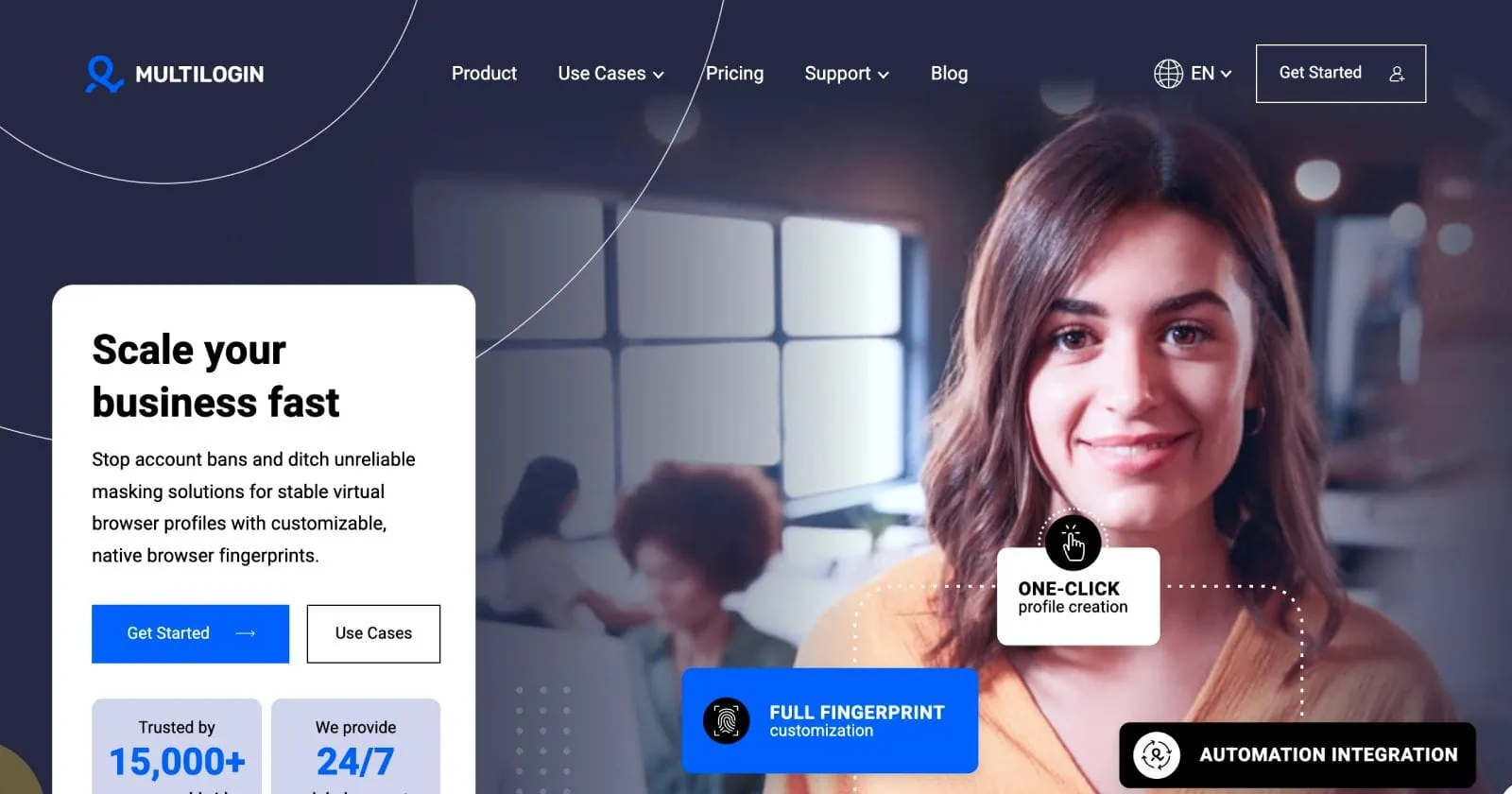
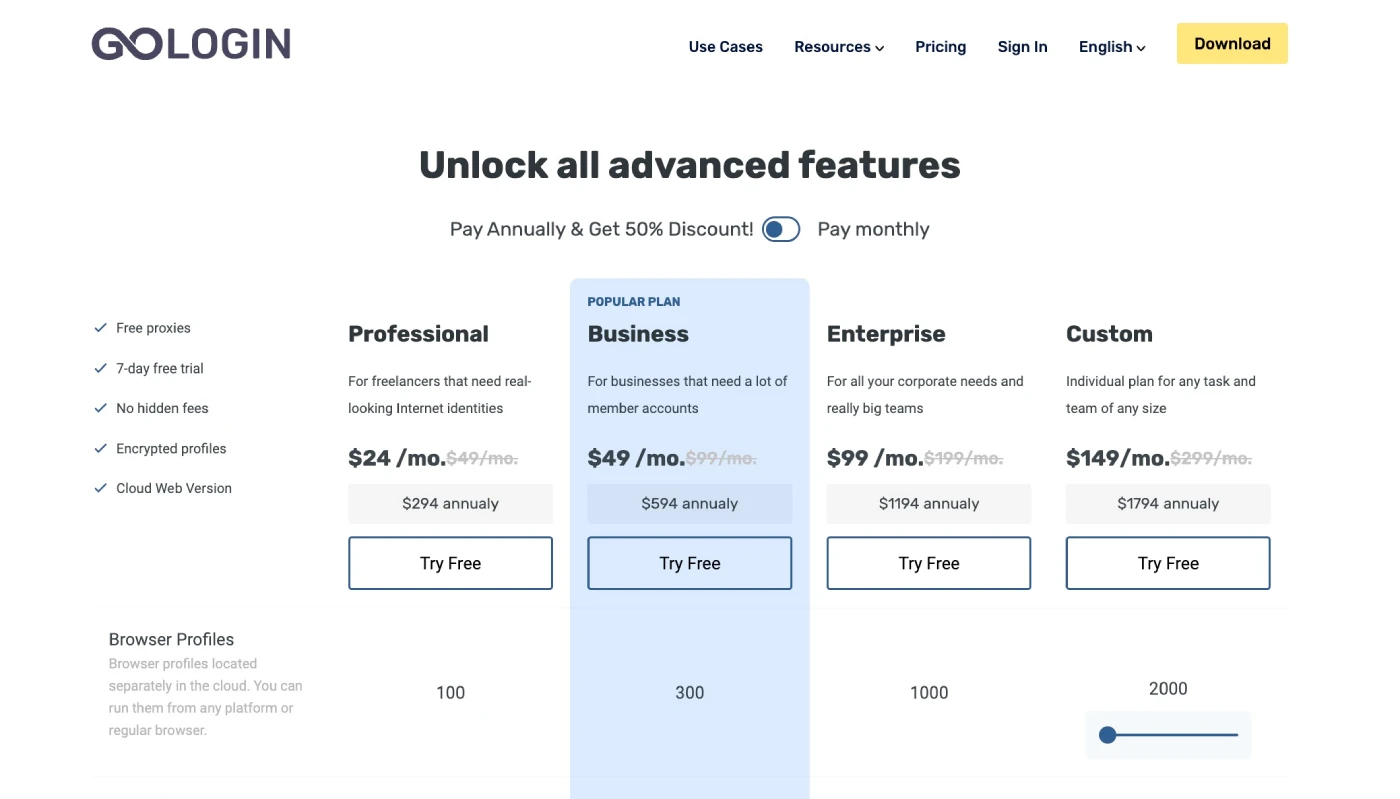
- Teams managing 50+ accounts — GoLogin’s Business plan starts at $99/mo for 300 profiles, but team management features are limited. Multilogin’s Business plan at $89/mo includes unlimited team seats, advanced role permissions, and profile transfer capabilities that GoLogin’s Business plan doesn’t match.
- Automation engineers — If your workflow relies on Playwright or Selenium running hundreds of browser sessions, GoLogin’s basic automation support and cloud-only profiles create unnecessary overhead. Kameleo’s local REST API runs everything on your own hardware with no cloud routing; Multilogin’s hardened automation integrations are battle-tested on 50+ platforms daily.
- Affiliate marketers running Facebook and TikTok campaigns — Dolphin{anty} was built specifically for this workflow, with native batch import of ad accounts, free plan available, and a UI optimized for media buying. AdsPower adds RPA automation for repetitive account tasks that GoLogin still doesn’t support.
- Mobile-first operations — GoLogin’s Android app has stability issues and doesn’t pass advanced fingerprint tests (reported IPhey test failures). Kameleo offers true Android and iOS emulation with thousands of genuine device configurations. Multilogin offers real Android hardware in the cloud — actual devices, not emulators.
- Web scrapers targeting Cloudflare/DataDome sites — Kameleo publishes a live Masking Status Report showing its test results against 100+ protected websites. Multilogin tests its fingerprints daily on 50+ platforms. GoLogin does not publish equivalent transparency about its bypass rates.
✗ GoLogin Is Still Fine If…
Don’t switch if you:
- Run fewer than 10 profiles at a time and don’t hit advanced bot-detection systems
- Need the lowest possible entry price — GoLogin’s Professional plan at $24/mo (annual) is genuinely cheap
- Value GoLogin’s 7-day free trial and no-card-required access to test the platform first
- Use GoLogin’s web app (cloud browser) feature — most alternatives require a desktop install
- Need an AI-assisted browser automation via MCP protocol — GoLogin’s MCP integration is a newer differentiator most alternatives don’t yet offer
7 Best GoLogin Alternatives — Tested & Ranked
Here are the top GoLogin alternatives evaluated on fingerprint quality, pricing, team features, mobile support, and automation capability. Each entry draws from brand knowledge files and verified competitor data current as of May 2026. If Multilogin is already your starting point and you want to compare it further, see our Multilogin alternatives guide for a dedicated breakdown.
1. Multilogin

Multilogin is the oldest antidetect browser still actively developed — founded around 2015 and operating with nine years of fingerprinting experience. It’s the benchmark that every other tool in this list is measured against. The platform combines two browser engines (Mimic for Chromium and Stealthfox for Firefox), 55+ customizable fingerprint parameters, built-in residential proxies across 150+ countries, and real Android cloud phones — all in one subscription. GoLogin only offers Chromium; Multilogin’s Firefox-based Stealthfox gives you a completely different browser environment for profiles that need it.
Pricing: $2 trial (3 days, 5 profiles). Pro 10 at $11/mo (monthly) or $7.08/mo (annual). Pro 50 at $29/mo. Pro 100 at $40/mo. Business from $89/mo (300 profiles, unlimited team seats). Annual plans save 35% versus monthly.
Key differentiator vs GoLogin: Multilogin’s Pro 100 plan at $40/mo gives you 100 profiles and 2 team seats. GoLogin’s Professional plan at $24/mo (annual) gives 10–100 profiles but zero team seats. For teams, Multilogin’s Business plan at $89/mo (annual: $57.08/mo) includes unlimited team members — GoLogin’s Business at $99/mo (annual: $49/mo) includes only 1. The proxy traffic also rolls over monthly in Multilogin; GoLogin’s 2 GB included allocation does not.
Pros ✓
- 9 years of fingerprinting experience — industry’s most proven tool
- Two browser engines: Mimic (Chromium) + Stealthfox (Firefox)
- 55+ fingerprint parameters, 95% clean IP rate on built-in proxies
- Real Android hardware in the cloud (not emulators)
- Built-in residential proxies included in every plan (150+ countries)
- Unused proxy and mobile traffic rolls over monthly
- G2 4.8/5; Capterra 5.0/5; 24/7 support in 5 languages
- Hardened Playwright, Selenium, Puppeteer integrations
Cons ✗
- No free plan — $2 trial is the lowest entry point
- Pro 10 and Pro 50 plans have zero team seats
- Slight learning curve for advanced fingerprint customization
- No iOS cloud emulation (Android only)
2. Kameleo

Kameleo is built by Outis Nemo Ltd., a team of software engineers with over a decade of IT security experience. Its defining technical claim is Intelligent Canvas Spoofing — the only antidetect browser (by their assertion) with an effective Canvas fingerprint solution, backed by published research and a live Masking Status Report showing daily automated tests against 100+ websites protected by Cloudflare, DataDome, Human Security (PerimeterX), and Akamai. The architecture is also fundamentally different from GoLogin: Kameleo runs entirely on your own hardware with no cloud routing. Faster for automation, more private for sensitive operations.
Pricing: Free plan at €0/mo (2 concurrent browsers, 300 min usage, 100 cloud profiles, 3 team members). Startup at €59/mo (monthly) or €45/mo (annual), 10 concurrent browsers, unlimited team members, 5,000 cloud profiles. Business at €299/mo (monthly) or €225/mo (annual), 100 concurrent browsers, full mobile emulation unlock, headless support. All plans include unlimited local profiles, Docker support, and API access.
Key differentiator vs GoLogin: Kameleo’s custom browser engines (Chroma and Junglefox) are rebuilt at the kernel level — not a patched Chromium. New Chroma kernels ship within 5 days of each official Chrome Stable release. Kameleo’s free plan gives you 2 concurrent browsers and 3 team members with no time limit — GoLogin’s free plan gives 3 profiles but zero team features and no concurrent session sharing.
Pros ✓
- Intelligent Canvas Spoofing — the most technically rigorous canvas solution in the market
- Custom-built Chroma (Chromium) and Junglefox (Firefox) engines, kernel-level modified
- Chroma kernel updated within 5 days of each Chrome Stable release
- Full Android and iOS mobile emulation from desktop
- On-premise architecture — profiles never route through a cloud server
- Free plan with no time limit, no credit card required
- Daily automated tests on 100+ anti-bot protected websites (public status report)
- Unlimited local profiles on all plans
Cons ✗
- Startup plan at €59/mo is significantly pricier than GoLogin’s $24/mo entry
- Mobile emulation (full unlock) requires Business plan at €225/mo+
- Interface is developer-oriented — steeper curve for non-technical users
- No built-in proxy traffic included (bring your own)
- Trustpilot and G2 scores not publicly confirmed in recent scrapes
3. AdsPower

AdsPower started as a Facebook ad account management tool and evolved into a full antidetect browser. It’s the most affordable serious option in this list at $9/mo for its base paid plan, and the free plan allows 2 active profiles with no time limit. Its key advantage over GoLogin is RPA (Robotic Process Automation) — code-free automation scripts that run directly on your profiles for repetitive tasks. GoLogin does not have RPA; it offers Selenium/Puppeteer automation that requires coding skills. AdsPower’s RPA is point-and-click, making it accessible to marketers who aren’t developers.
Pricing: Free plan (2 profiles). Paid plans from $9/mo. Suitable for eCommerce sellers on Shopee, Lazada, Taobao, and Amazon.
Key differentiator vs GoLogin: RPA automation without code. AdsPower lets you build automated workflows by recording browser actions — login sequences, form fills, bulk account warmup — without writing a single line of Selenium. GoLogin requires external automation tools for the same tasks. AdsPower is also notably cheaper at the base tier.
Pros ✓
- Most affordable paid plan at $9/mo — cheaper than GoLogin’s $24/mo entry
- Free plan available (2 profiles, no time limit)
- RPA automation without coding — record and replay browser tasks
- Multiple browser engine options (Chromium/Firefox)
- Well-optimized for Asian e-commerce platforms (Shopee, Lazada, Taobao)
- Batch profile creation and bulk import/export
Cons ✗
- English documentation is limited — heavy focus on Chinese-language resources
- Fingerprinting is good but not best-in-class for advanced bot detection
- UI can feel dated compared to Multilogin or Dolphin{anty}
- Less suitable for teams running operations outside Asian platforms
4. Dolphin{anty}

Dolphin{anty} was built with affiliate marketers in mind. Its interface is clean, its batch import handles CSV files of ad account credentials efficiently, and its built-in automation tools handle the Facebook and TikTok workflows that most media buyers run. The free plan is genuinely useful — not a crippled demo. Premium starts at $89/mo. Its proxy support covers HTTP, SOCKS5, SOCKS4, and SSH, and the fingerprint randomization system handles account transfers without manual data entry.
Pricing: Free plan available. Premium from $89/mo. Chromium-based engine with active development focused on social advertising platforms.
Key differentiator vs GoLogin: Dolphin{anty}’s free plan doesn’t expire and includes enough functionality for light affiliate work. GoLogin’s free plan also doesn’t expire but gives fewer team-friendly features. Dolphin{anty}’s UI and batch account import workflow is specifically designed for the affiliate marketing use case, which GoLogin’s more general-purpose interface doesn’t match in UX terms.
Pros ✓
- Free plan that doesn’t expire — real usability, not a trial
- Built specifically for affiliate marketing and media buying workflows
- Clean, modern UI with dark/light theme options
- Batch profile creation via CSV with fingerprint randomization
- Supports all proxy types: HTTP, SOCKS5, SOCKS4, SSH
- Native Facebook and TikTok ad account optimization
Cons ✗
- Premium from $89/mo is steep — higher than Multilogin’s Pro 50 at $29/mo
- Fingerprint control is moderate — not as deep as Multilogin or Kameleo
- Limited enterprise features and fewer team management options
- RPA automation is less mature than AdsPower’s implementation
5. Incogniton
Incogniton is the most beginner-friendly antidetect browser in this list. Its interface is the easiest to pick up, its free plan allows 10 browser profiles (more than GoLogin’s 3 on the free tier), and its team collaboration tools are accessible without a technical background. For users just entering the multi-accounting space — running 5–10 social media profiles or managing a small Amazon operation — Incogniton offers enough functionality at minimal cost. Premium starts at $29.99/mo for teams.
Pricing: Free plan (10 profiles). Paid plans from $29.99/mo with team features.
Key differentiator vs GoLogin: Incogniton’s free plan gives 10 profiles; GoLogin’s free plan gives 3. For a solo operator who just needs basic multi-accounting without paying, Incogniton’s free tier is more generous. The tradeoff is weaker fingerprinting — adequate for basic tasks, but not for advanced bot-detection systems.
Pros ✓
- Free plan with 10 profiles — more generous than GoLogin’s 3-profile free tier
- Easiest learning curve in this list — ideal for beginners
- Bulk profile creation with a few clicks
- Cloud sync for team profile sharing
- Cookie import/export and paste-as-human-typing
- Affordable premium plans for small teams
Cons ✗
- Basic fingerprinting — won’t hold up against Cloudflare or DataDome
- Limited automation capabilities — no real API for advanced scripting
- Not suitable for professional-scale operations or heavy automation
- No Firefox-based engine option
6. Octo Browser

Octo Browser is a clean, professionally built antidetect browser used heavily by affiliate marketers and digital agencies. Its profile creation is genuinely fast — one click to create a profile and start working. It supports proxy servers popular among serious operators (residential, mobile, datacenter) and has strong anti-detection capabilities for Amazon, TikTok, and similar platforms. Octo Browser competes in the same tier as Multilogin and Kameleo on fingerprint quality, though it has a smaller user community.
Key differentiator vs GoLogin: Octo Browser’s anti-detection capabilities are regarded as stronger than GoLogin’s by affiliate marketers running high-risk account operations. The single-click profile launch and clean dashboard make it faster to operate at scale than GoLogin’s interface. Pricing is comparable to GoLogin’s mid-tier plans.
Pros ✓
- One-click profile creation for fast operational workflows
- Strong anti-detection for Amazon, TikTok, and major ad platforms
- Clean, professional interface with no clutter
- Supports all major proxy types (residential, mobile, datacenter)
- Good for affiliate marketing, web scraping, and digital agencies
Cons ✗
- No free plan — paid plans required from the start
- Smaller user community and fewer third-party integrations
- Less publicly documented fingerprinting methodology than Multilogin or Kameleo
7. Ghost Browser
Ghost Browser is different from every other tool in this list: it’s a session-based browser, not a full antidetect browser. Each tab gets its own isolated session with separate cookies — but there’s no fingerprint spoofing. If GoLogin is overkill for your use case and you just need to stay logged into multiple accounts simultaneously in one window, Ghost Browser handles that with less complexity and lower cost. It runs on Chromium, imports your Chrome extensions in under a minute, and is available for both Windows and macOS.
Pricing: Paid plans from $12/mo. No free plan.
Key differentiator vs GoLogin: Ghost Browser uses a single browser process rather than spawning multiple browser instances. That makes it significantly lighter on RAM and CPU than GoLogin when running multiple accounts — a real advantage if your machine struggles with GoLogin’s resource usage. The tradeoff is zero fingerprint protection — suitable only for accounts where detection isn’t a concern.
Important caveat: Ghost Browser does not change your browser fingerprint. It only isolates sessions (cookies, storage) between tabs. If you’re switching from GoLogin because of detection issues, Ghost Browser will not solve that problem — in fact, it offers less protection than GoLogin. Use it only if your goal is account convenience, not anonymity.
Pros ✓
- Lightest resource footprint — single browser process for all sessions
- Easiest setup — imports Chrome extensions in under 60 seconds
- Proxy control per tab or session group
- Works on Windows and macOS
- Good for social media managers who need multiple logins, not anonymity
Cons ✗
- Zero fingerprint spoofing — not a true antidetect browser
- No automation support
- Not suitable for any use case where platform detection is a concern
- No free plan
How to Choose the Right GoLogin Alternative for Your Use Case
Seven tools, very different architectures. Choosing the right antidetect browser alternative to GoLogin comes down to five questions that narrow the field fast.
Do You Need a Firefox-Based Browser Engine?
GoLogin is Chromium-only. This means every profile presents as a Chrome or Chromium derivative — platforms that fingerprint browser engine type can detect patterns in all-Chromium operations. Multilogin’s Stealthfox (Firefox) and Kameleo’s Junglefox (Firefox) give you genuine Firefox profiles. If you’re running operations on platforms that actively fingerprint engine type or that GoLogin consistently fails on, a Firefox-capable tool is essential.
Cloud vs On-Premise Architecture
GoLogin stores and runs profiles in the cloud. This adds latency to every automation task and means your browsing activity passes through GoLogin’s servers. Kameleo runs everything locally on your own machine or server. Multilogin offers both cloud and local storage. For automation workflows that need low latency, or for operations where data sovereignty matters, on-premise (Kameleo) or hybrid (Multilogin) is the better choice.
Mobile Profile Requirements
If you need to simulate mobile device fingerprints (Android, iOS), Kameleo and Multilogin are your only serious options here. Kameleo’s Business plan unlocks full Android and iOS emulation from a desktop app. Multilogin offers real Android cloud hardware (actual devices, not emulators) plus a mobile antidetect browser for desktop-based mobile profile management. GoLogin’s Android app is the weakest link in its product — users consistently report it failing advanced fingerprint tests.
Team Size and Collaboration Needs
GoLogin’s team management is basic until you reach Business at $99/mo. Multilogin’s Business plan at $89/mo includes unlimited team seats, role-based permissions, profile sharing, and profile transfer. Kameleo’s free plan gives you 3 team members and unlimited team members on all paid plans starting from €45/mo. For growing teams, both Multilogin and Kameleo offer better team infrastructure at comparable or lower price points than GoLogin.
Automation Depth
Basic automation (Selenium, Puppeteer) is available in most tools. But depth varies significantly. Multilogin specifically describes its automation integrations as “Hardened” — deeper anti-detection in the framework layer than standard WebDriver usage. Kameleo’s local REST API and SDK packages (Python, JavaScript, C#) are well-documented with an active developer community on GitHub (1,500+ stars). Dolphin{anty} has automation tools but they’re primarily built for affiliate workflows, not general-purpose scripting. AdsPower’s RPA is the easiest automation option for non-coders.
Bottom line: For professional teams and serious scale, Multilogin wins on breadth — browser + cloud phones + built-in proxies + team management in one subscription. For technical users who prioritize fingerprint precision and local architecture, Kameleo is the specialist choice. For affiliate marketers and media buyers, Dolphin{anty} or AdsPower fit the workflow better than GoLogin’s general-purpose approach.
Pricing Comparison: Side-by-Side
The table below compares all seven alternatives plus GoLogin on key purchasing metrics. Monthly prices reflect the most common paid entry-level plan. All pricing sourced from brand knowledge files and verified pricing pages, current May 2026.
| Tool | Free Plan | Entry Paid (Monthly) | Entry Paid (Annual) | Team Seats | Mobile Support |
|---|---|---|---|---|---|
| GoLogin (baseline) | 3 profiles | $49/mo | $24/mo | Business+ only | Android app (unstable) |
| Multilogin | $2 trial (3 days) | $11/mo (Pro 10) | $7.08/mo (Pro 10) | 2 on Pro 100; unlimited on Business | Real Android cloud phones |
| Kameleo | Free (2 concurrent) | €59/mo (Startup) | €45/mo (Startup) | Unlimited on all paid plans | Android & iOS emulation (Business+) |
| AdsPower | 2 profiles | $9/mo | Available | Yes (team plans) | Limited |
| Dolphin{anty} | Yes (limited) | $89/mo | Available | Yes (shared profiles) | None |
| Incogniton | 10 profiles | $29.99/mo | Available | Yes (premium plans) | None |
| Octo Browser | None | Paid plans from ~$30/mo | Available | Yes | Limited |
| Ghost Browser | None | $12/mo | Available | Limited | None |
Pricing note: Kameleo’s pricing is in EUR; Multilogin moved to USD pricing in March 2026 (previously EUR). The EUR/USD exchange rate affects real-world Kameleo costs. Annual billing discounts vary: Multilogin saves 35%, Kameleo saves approximately 25%, GoLogin saves 50%. Always verify current pricing on the provider’s live pricing page before purchasing — plans adjust frequently.
Pros & Cons of Switching from GoLogin
Switching antidetect browsers isn’t trivial — you’ll need to recreate profile configurations and potentially migrate cookies. Here’s what you gain and what you trade away.
Pros ✓
- Better fingerprint accuracy: Multilogin’s 55+ parameters and Kameleo’s Intelligent Canvas Spoofing outperform GoLogin’s basic fingerprinting on Cloudflare, DataDome, and PerimeterX-protected sites
- Firefox engine access: Multilogin’s Stealthfox and Kameleo’s Junglefox give you genuine Firefox profiles — essential for operations where Chromium-only patterns get flagged
- Better mobile support: Real Android emulation (Kameleo) or real Android hardware (Multilogin) vs GoLogin’s unstable Android app
- More generous free tiers: Incogniton’s 10-profile free plan and Kameleo’s unlimited-local-profile free tier beat GoLogin’s 3-profile limit
- On-premise architecture: Kameleo keeps everything local, reducing cloud dependency and data exposure risk
- Better team management: Multilogin’s unlimited team seats (Business) and Kameleo’s unlimited team members (Startup+) beat GoLogin’s restricted team model
Cons ✗
- Higher cost at entry: GoLogin’s $24/mo annual plan is genuinely cheap; Multilogin starts higher and Kameleo’s €59/mo is a significant step up
- Migration effort: No one-click import exists — you’ll need to manually recreate profiles, re-import cookies, and reconnect proxies
- No web app equivalent: GoLogin offers a cloud browser (use from any browser without installing) — none of the alternatives here offer this
- GoLogin’s 7-day free trial is generous: No credit card required; most alternatives either charge for a trial or offer a more limited free tier
- MCP integration: GoLogin’s AI agent browser control via MCP (Model Context Protocol) is not replicated by any alternative on this list
Bottom Line: If your GoLogin setup is working fine — no detection issues, no team scaling problems, no automation bottlenecks — the switching cost probably isn’t worth it. But if you’re hitting any of the known GoLogin weaknesses (canvas fingerprinting failures, crash-on-open-10-profiles, slow support response times), the alternatives in this list solve those specific problems at comparable or better price points once you factor in what you actually get per dollar.
GoLogin Alternatives Compared: Head-to-Head
Two side-by-side comparisons against GoLogin — the two tools most often cited as upgrades for professional users. Data sourced from brand knowledge files current as of May 2026.
Multilogin vs GoLogin
| Dimension | Multilogin | GoLogin |
|---|---|---|
| Pricing (entry, annual) | $7.08/mo (Pro 10, 10 profiles) | $24/mo (Professional, 10–100 profiles) |
| Fingerprint Quality | 55+ parameters, tested daily on 50+ platforms, 95% clean IP rate | 50+ parameters, no published bypass-rate transparency |
| Browser Engines | Mimic (Chromium) + Stealthfox (Firefox) | Chromium only |
| Automation | Hardened Playwright, Selenium, Puppeteer; Docker; local + cloud API | Puppeteer, Selenium; MCP framework; REST API (300–1,200 RPM) |
| Mobile Emulation | Real Android cloud hardware (7 OS versions, ~30 device models) | Android app available; cloud Android product; mobile fingerprint emulation |
| Free Plan | No — $2 trial (3 days, 5 profiles) | Yes — 3 profiles, no time limit |
| Team Seats | 0 on Pro 10/50; 2 on Pro 100; unlimited on Business ($89/mo) | 0 on Professional; 1 on Business ($99/mo+) |
| Built-in Proxies | 1–10 GB/mo included; 150+ countries; rolls over monthly | 2 GB/mo included; 195 countries; does not roll over |
| Best For | Professional teams, enterprise fingerprinting, automation at scale | Solo users, budget-conscious beginners, web-app access (no install) |
Winner for fingerprint quality and Firefox engine: Multilogin | Winner for lowest entry price and free plan: GoLogin | Winner for team management: Multilogin | Winner for built-in proxy rollover: Multilogin
Kameleo vs GoLogin
| Dimension | Kameleo | GoLogin |
|---|---|---|
| Pricing (entry, annual) | €45/mo (Startup, 10 concurrent browsers) | $24/mo (Professional, 10–100 profiles) |
| Fingerprint Quality | Intelligent Canvas Spoofing; daily tests on 100+ anti-bot protected sites; public Masking Status Report | 50+ parameters including canvas noise masking; no published bypass transparency |
| Browser Engines | Custom-built Chroma (Chromium) + Junglefox (Firefox); kernel-level modification; Chroma updated within 5 days of Chrome Stable | Chromium only |
| Automation | Local REST API; SDK for Python, JS, C#; Selenium, Puppeteer, Playwright; Docker; API rate up to 1,200 req/min (Enterprise) | Puppeteer, Selenium; REST API (300–1,200 RPM); MCP framework for AI agent control |
| Mobile Emulation | Full Android & iOS emulation from desktop (Business+ plan); thousands of genuine device configurations | Android app + cloud Android; mobile fingerprint emulation for TikTok/Instagram |
| Free Plan | Yes — 2 concurrent browsers, 100 cloud profiles, 3 team members, no time limit, no credit card required | Yes — 3 profiles, no time limit |
| Architecture | On-premise — browsers run locally, no cloud routing, data stays on your hardware | Cloud-dependent — profiles routed through GoLogin’s servers |
| Team Features | 3 members on Free; unlimited on all paid plans from €45/mo | 0 on Professional; 1 on Business ($99/mo+) |
| Best For | Technical users, web scraping, privacy-focused deployments, canvas-sensitive targets | Solo users, budget beginners, cloud browser (no install needed), MCP/AI automation |
Winner for canvas fingerprinting and local architecture: Kameleo | Winner for entry price and cloud browser: GoLogin | Winner for team members at entry tier: Kameleo | Winner for MCP/AI agent automation: GoLogin
🏆 Choose Multilogin or Kameleo When
- Your targets use Cloudflare Turnstile, DataDome, or PerimeterX and GoLogin is failing
- You need Firefox-based browser profiles — neither GoLogin nor the other five alternatives offer this
- Your team has more than 1 member and you’re currently paying GoLogin Business ($99/mo) for a single seat
- You need genuine mobile device emulation — Android/iOS from desktop, not just a mobile fingerprint
- Your automation requires low-latency local execution (Kameleo’s on-premise architecture) or enterprise-grade hardened integrations (Multilogin’s Hardened Playwright/Selenium)
🔍 Choose GoLogin When
- You’re a solo user running under 10 profiles and not hitting advanced bot detection
- You need the lowest possible entry price — GoLogin’s $24/mo annual beats both alternatives at base tier
- You need a cloud browser (use GoLogin from any browser without installing an app) — no equivalent exists in Multilogin or Kameleo
- You need MCP-based AI agent automation — GoLogin’s MCP framework integration is not replicated by Multilogin or Kameleo
- You want a 7-day no-card free trial to evaluate before spending anything
GoLogin Alternatives Ratings Breakdown
We rated each tool across six dimensions relevant to the antidetect browser buying decision. Scores reflect publicly available performance data, user review aggregates, pricing, and feature depth as of May 2026.
| Tool | Fingerprint Quality | Ease of Use | Team Features | Pricing Value | Automation | Overall |
|---|---|---|---|---|---|---|
| GoLogin (reference) | 3.5/5 | 4.2/5 | 3.0/5 | 4.5/5 | 3.2/5 | 3.7/5 |
| Multilogin | 4.8/5 | 3.8/5 | 4.7/5 | 4.0/5 | 4.8/5 | 4.7/5 |
| Kameleo | 4.9/5 | 3.5/5 | 4.3/5 | 3.7/5 | 4.6/5 | 4.6/5 |
| AdsPower | 3.8/5 | 4.3/5 | 3.8/5 | 4.8/5 | 4.2/5 | 4.2/5 |
| Dolphin{anty} | 3.9/5 | 4.4/5 | 3.7/5 | 3.5/5 | 3.8/5 | 3.9/5 |
| Incogniton | 3.2/5 | 4.7/5 | 3.5/5 | 4.6/5 | 2.8/5 | 3.8/5 |
| Octo Browser | 4.2/5 | 4.1/5 | 3.9/5 | 3.8/5 | 3.7/5 | 4.0/5 |
| Overall Leader | Kameleo | Incogniton | Multilogin | AdsPower | Multilogin | Multilogin 4.7/5 |
Rating Summary: Multilogin leads overall, with Kameleo close behind specifically on fingerprint quality. AdsPower wins on pricing value — it offers the most functionality per dollar at the entry tier. Incogniton is the easiest to use but sacrifices fingerprint depth and automation for accessibility. GoLogin at 3.7/5 overall is not a bad tool, but every category has at least one alternative that beats it — and the top two (Multilogin, Kameleo) outperform it on every dimension that matters for serious use cases.
Is Switching to a GoLogin Alternative Worth It? Safety & Long-Term Value
Legitimacy & Safety
- ✓ Multilogin is a verified legitimate business — operated by Eyes of Wonder, employees publicly listed on LinkedIn, GDPR compliant, 9 years of track record with no major security incidents. G2 4.8/5 across 10,000+ professional users.
- ✓ Kameleo is incorporated as Outis Nemo Ltd. — founded by engineers with 10+ years of IT security experience, 1,500+ GitHub stars on their open-source SDK, transparent Masking Status Report published publicly. Active Discord community.
- ✓ AdsPower and Dolphin{anty} are established companies with significant user bases and active development. Both have been operating for multiple years without known security breaches.
- ✓ Antidetect browsers are legal to use for the overwhelming majority of use cases: multi-account management, web scraping, affiliate marketing, ad verification, and competitive intelligence. You’re responsible for what you do with the tool, not the tool itself.
Long-Term Reliability
Multilogin has been operating since approximately 2015 — the longest track record in this list. Kameleo, AdsPower, Dolphin{anty}, Incogniton, and Octo Browser all have multiple years of operation and active user communities. Ghost Browser is the oldest session-based tool in this space. None of the seven alternatives have had major platform shutdowns or security incidents comparable to what has been alleged against GoLogin by some Trustpilot reviewers (claims of cookie data mishandling — unverified, but worth noting as a user community concern).
Reality check: No antidetect browser is a guarantee against platform detection. Detection arms races are ongoing — platforms like Facebook, Google, TikTok, and Amazon continuously update their fingerprinting systems, and antidetect tools continuously update their countermeasures. A tool that bypasses detection today may fail in three months if the provider doesn’t keep pace. The best indicator of long-term reliability is how frequently a tool updates its browser kernels and how transparently it communicates its bypass rate. Kameleo publishes live test results (Masking Status Report). Multilogin states daily testing on 50+ platforms. Ask any provider you evaluate to show you their bypass methodology before committing to a plan.
Worth It? Final Verdict
Switch if — YES
- You’re hitting Cloudflare or DataDome blocks that GoLogin can’t resolve
- Your team needs more than 1 seat and you’re paying GoLogin’s Business tier
- You need Firefox-based browser profiles or genuine mobile emulation
- Your automation workflow needs local execution without cloud routing
- You’re running 20+ profiles and GoLogin keeps crashing
Stay with GoLogin if — NO
- You’re a solo user running fewer than 10 profiles and GoLogin is working fine
- The $24/mo annual price point is a hard budget constraint
- You rely on GoLogin’s web app (cloud browser) — no equivalent exists elsewhere
- You need MCP-based AI agent browser control (GoLogin exclusive for now)
- You value GoLogin’s 7-day no-card-required free trial for ongoing testing
Our recommendation: Start with Multilogin’s $2 trial or Kameleo’s free plan to test your actual use case before switching. Run the same profiles you use in GoLogin, against the same targets, and compare detection rates and stability directly. Multilogin’s $2 trial gives you 5 profiles, 200 MB proxy traffic, and 60 mobile minutes — enough to run meaningful tests in 3 days. Kameleo’s free plan has no time limit, so you can evaluate it indefinitely at the free tier before upgrading.
GoLogin Alternatives FAQs
What is the best GoLogin alternative overall?
Multilogin is the best overall GoLogin alternative for professional users — 9 years of fingerprinting experience, two browser engines (Chromium + Firefox), 55+ customizable parameters, built-in residential proxies, real Android cloud phones, and 24/7 support in 5 languages. It starts at $11/mo (or $7.08/mo annual) for the Pro 10 plan, with a $2 three-day trial. For users who prioritize mobile emulation and canvas fingerprinting precision specifically, Kameleo is a strong second choice with a free plan available.
Is there a free GoLogin alternative?
Yes — several. Kameleo offers a permanently free plan with 2 concurrent browsers, 100 cloud profiles, and 3 team members (no time limit, no credit card required). Incogniton’s free plan gives 10 browser profiles. AdsPower’s free plan gives 2 profiles. Dolphin{anty} also has a free tier. All are more generous on profile count or team features than GoLogin’s 3-profile free plan. However, the free tiers of all these tools have limitations on concurrent sessions, fingerprint options, or automation that you’ll need to evaluate against your specific use case.
Multilogin vs GoLogin: which is better?
For professional and team use cases, Multilogin wins the Multilogin vs GoLogin comparison clearly. Multilogin has a deeper fingerprinting engine (55+ parameters vs GoLogin’s 50+), a Firefox-based browser engine (Stealthfox) that GoLogin lacks, real Android cloud phones in addition to desktop browser profiles, and better team management at comparable pricing. For solo users on a tight budget who don’t need Firefox profiles or mobile hardware, GoLogin’s lower entry price ($24/mo annual vs Multilogin’s $7.08/mo for only 10 profiles) makes it competitive. The two tools target different audience segments.
Kameleo vs GoLogin: which should you choose?
In the Kameleo vs GoLogin comparison, Kameleo wins on fingerprint precision, mobile emulation, and privacy-focused deployments. Kameleo’s Intelligent Canvas Spoofing is the most technically rigorous canvas solution in the market, and its on-premise architecture means no cloud dependency. Its free tier is also more usable than GoLogin’s. The tradeoff is cost — Kameleo’s paid plans start at €59/mo (€45/mo annual), significantly higher than GoLogin’s $24/mo entry. Kameleo is the better tool for technically demanding use cases; GoLogin is the better tool for budget-conscious beginners.
What antidetect browser is best for affiliate marketing?
Dolphin{anty} was built specifically for affiliate marketing — its UI, batch CSV import, and native Facebook and TikTok optimization are purpose-built for media buyers. AdsPower is a close second, with RPA automation for repetitive account tasks. Both offer free plans. For larger affiliate teams needing enterprise fingerprinting with proxy bundled in, Multilogin’s Business plan handles high-volume ad account operations reliably. GoLogin is used by affiliates but is less specialized for this workflow than Dolphin{anty} or AdsPower.
Which GoLogin alternative is best for web scraping?
Kameleo and Multilogin are the strongest choices for serious web scraping. Kameleo’s automation is tested daily against Cloudflare, DataDome, Human Security (PerimeterX), and Akamai — the four systems that block most scrapers. Its Docker support and local REST API make it straightforward to scale scraping operations in containers. Multilogin’s hardened Playwright/Selenium/Puppeteer integrations go beyond standard WebDriver and reduce detection at the automation layer. For light scraping where advanced bot protection isn’t the primary concern, Dolphin{anty} or AdsPower are more affordable starting points.
Can I switch from GoLogin to Multilogin without losing my profiles?
There’s no direct one-click migration. You’ll need to manually recreate profiles in Multilogin — set up the fingerprint parameters, re-add your proxies, and re-import cookies. For a small number of profiles (under 20), this takes a few hours. For larger operations, it’s worth scheduling a planned migration window. Multilogin’s profile import/export functionality and the bulk creation tools make it faster than recreating every profile individually. Multilogin’s support team can assist with migration planning.
Does Multilogin include proxies?
Yes. Multilogin includes built-in residential proxy traffic in every plan: 1 GB/mo on Pro 10, 3 GB/mo on Pro 50, 5 GB/mo on Pro 100, and 10 GB/mo on Business. The proxies cover 150+ countries and 1,400+ cities with a 95% clean IP rate. Unused proxy traffic rolls over to the next month. You can also bring your own proxies (HTTP, HTTPS, SOCKS5). This compares favorably to GoLogin’s 2 GB/mo included on paid plans, which does not roll over.
What is Kameleo’s Intelligent Canvas Spoofing?
Canvas fingerprinting works by drawing invisible shapes on a hidden HTML canvas element and reading the pixel output — which varies based on your GPU, OS, and browser software in a uniquely identifying way. Most antidetect browsers add random noise to the canvas output, which is detectable (the noise pattern itself becomes a fingerprint). Kameleo’s Intelligent Canvas Spoofing generates realistic canvas outputs that match the profile’s hardware configuration, rather than adding noise. This produces fingerprints that look like real devices rather than masked ones. Kameleo has published research on this approach at help.kameleo.io.
Is GoLogin safe to use?
GoLogin is a legitimate commercial product used by 200,000+ users. However, some Trustpilot reviewers have raised security concerns, including one claim that Facebook profile cookies were compromised through GoLogin. These claims are unverified and GoLogin disputes them. As a general practice with any antidetect browser: don’t store credentials for high-value accounts in your profiles if you have concerns about data security, and use strong, unique passwords for your GoLogin account with 2FA enabled. If security is a primary concern, Kameleo’s on-premise architecture (data stays on your hardware) is the safest option in this list.
Does Kameleo work on Mac?
Yes. Kameleo supports Windows and macOS. Multilogin supports Windows, macOS (Intel and M-series), and Linux. GoLogin also supports Windows, Mac, and Linux. If you’re on a Mac with an M-series chip, verify that your chosen tool has native ARM64 support — Multilogin explicitly supports M-series Macs.
What’s the cheapest GoLogin alternative with real fingerprinting?
Multilogin’s Pro 10 at $7.08/mo (annual) is the cheapest paid option with enterprise-grade fingerprinting. For a free option, Kameleo’s free plan with 2 concurrent browsers and unlimited local profiles gives you real fingerprinting at zero cost — better than GoLogin’s free tier which lacks full fingerprint protection. AdsPower at $9/mo is the cheapest meaningful paid alternative if you need more than 2 concurrent browsers on a budget. Incogniton’s free plan (10 profiles) is the most generous free tier, but its fingerprinting is basic.
Final Verdict
GoLogin is a solid entry-level antidetect browser, but it has clear ceilings. Its fingerprinting doesn’t hold up on Cloudflare and DataDome-protected targets. It’s Chromium-only. Its Android app is unreliable. Team features are limited below the $99/mo Business tier. And support responsiveness has been a consistent complaint for years. The seven alternatives in this list each solve at least one of these problems — and the top two (Multilogin, Kameleo) solve most of them simultaneously at comparable or better pricing once you factor in what’s included.
✓ Top Picks
- Multilogin — Best overall: 9 years of expertise, dual browser engines, real Android cloud phones, built-in proxies, 24/7 multilingual support
- Kameleo — Best for fingerprint precision: Intelligent Canvas Spoofing, on-premise architecture, true mobile emulation, free plan available
- AdsPower — Best budget option: cheapest paid plan at $9/mo, free plan, RPA automation without coding
- Dolphin{anty} — Best for affiliate marketing: free plan, native Facebook/TikTok optimization, clean batch import workflow
- Incogniton — Best for beginners: easiest UI, most generous free plan (10 profiles), affordable team plans
✗ When to Look Elsewhere
- You need a cloud browser (access from any browser without installing) — GoLogin’s web app remains unique
- Budget under $10/mo with team features — no single alternative fully delivers this combination
- You need MCP-based AI agent automation — GoLogin’s MCP integration isn’t replicated yet
- You rely on GoLogin’s 7-day no-card free trial for regular testing — most alternatives have less generous trial terms
Ready to Switch from GoLogin?
Test Multilogin against your actual profiles for $2 — 3 days, 5 profiles, built-in proxy traffic included. No commitment required.
Try Multilogin for $2 — Best GoLogin Alternative →