
8 Best Android Proxy Providers in 2026
The best android proxies for 2026 — tested for setup ease, IP quality, speed, and value across social media management, app testing, and anonymous browsing.
⚡ Quick Verdict
Android proxies let you browse anonymously, bypass geo-blocks, and manage multiple accounts without rooting your device. After testing 8 providers across setup ease, IP quality, speed, and price, Decodo leads for everyday value and fast setup, while Bright Data dominates enterprise-grade needs and IPRoyal wins for traffic that never expires. Whether you need a residential IP to unlock region-locked apps or a mobile proxy to run social media accounts, there is a provider on this list for your exact budget and use case.
Social media managers & privacy-conscious Android users
You install an app, open it, and get hit with “This content is not available in your region.” Or you manage five Instagram accounts from your phone and keep getting flagged. Or you just want to stop your carrier from watching every request you make. Android’s built-in settings do not help with any of this — and that is exactly where android proxies come in.
Android proxies route your device’s traffic through a different IP address — one that looks like it belongs to a real user in a different city or country. The website sees that IP, not yours. Simple concept, but the difference between providers is enormous: pool size, IP freshness, protocol support, and whether the proxy for android actually works without root access.
Most providers claim “Android compatible” and technically they are not wrong — you can paste a hostname and port into Android’s Wi-Fi settings. But response times, success rates, and how cleanly the IP handles mobile platforms vary wildly. We dug into the specs, pricing, and real-world performance data to find the eight best android proxy providers worth your time in 2026.
The providers below cover every budget, from free-tier datacenter proxies to enterprise residential pools. We have organized them to save you time comparing.
What Is an Android Proxy?
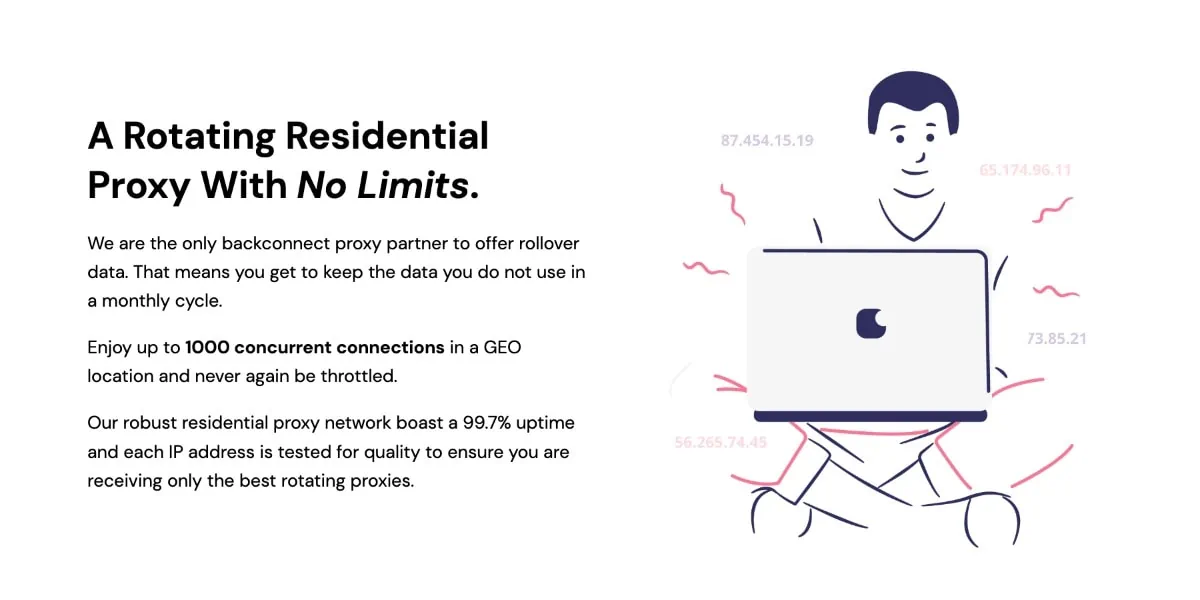
An Android proxy is a server that sits between your device and the internet. When you configure one in your Android Wi-Fi settings, all HTTP/HTTPS traffic from your browser (and many apps) goes through that server’s IP address instead of your own. The target website sees the proxy’s IP, your location appears to change, and your real IP stays hidden.
- Routes Wi-Fi traffic through an external IP address — no root required for basic setup
- Supports HTTP, HTTPS, and SOCKS5 protocols depending on the provider
- Can be set per Wi-Fi network in Android Settings > Wi-Fi > Modify network > Advanced > Proxy
- Residential proxies use IPs from real home devices — harder for platforms to detect
- Mobile proxies use actual 4G/5G carrier IPs — highest anonymity for social and app platforms
- Datacenter proxies offer speed and low cost — best for scraping and testing, not social media
Android Proxy Compatibility: What You Need to Know
Android’s built-in proxy system works on the Wi-Fi network level. That means it only applies while you are connected to a specific Wi-Fi network — it does not cover mobile data connections. It also does not guarantee that every app will respect the proxy; some apps bypass system proxy settings entirely. For full device-level routing, you need a VPN or a rooted device running ProxyDroid. For most use cases — browser-based browsing, social media apps, and geo-testing — the built-in Wi-Fi proxy method works fine.
Who Are Android Proxies For?
Android proxies are not just for tech-savvy developers. The use cases span a wide range of everyday and professional needs.
✓ Ideal Users
- Social media managers — Run multiple accounts on Instagram, TikTok, or Twitter from a single Android device without triggering platform bans. Each account gets its own IP via sticky sessions. See also: best social media proxies for a dedicated breakdown.
- Privacy-conscious users — Hide your real IP from your ISP, advertisers, and websites without installing a full VPN. Proxies are lighter weight and often faster for specific apps.
- App testers and QA engineers — Simulate how your app behaves for users in different countries. Test region-specific content, localization, and geo-targeted features from your Android device.
- Affiliate marketers — Verify how your ads appear in different geos, track competitor offers, and manage affiliate accounts across multiple IPs.
- Travelers and expats — Access streaming services, banking apps, and local content that is blocked outside your home country.
- Sneaker buyers and limited-drop shoppers — Use residential or ISP proxies to increase your chances of checking out on high-demand drops from your Android device.
- Researchers and journalists — Collect publicly available data from geo-restricted sources without revealing your identity or location.
✗ Not Ideal For
- You need full-device traffic routing including mobile data — use a VPN instead
- You want to access streaming services like Netflix with no technical setup — most streaming platforms detect and block proxy IPs aggressively
- You need anonymous browsing in apps that ignore system proxy settings (many banking and finance apps do this)
- You are on a very tight budget with no technical knowledge — free proxy lists are almost universally unreliable and often log your traffic
8 Best Android Proxy Providers Reviewed
Each provider below is evaluated on IP pool size, Android compatibility, protocol support, pricing, and what type of user they are best suited for. Pricing figures come directly from each brand’s knowledge file.
1. NodeMaven — Best for Quality-Filtered Residential IPs
NodeMaven runs a 30M+ residential IP pool across 190+ countries with one feature that stands out: a proprietary IP Quality Filter that screens out fraud-scored IPs in real time. The clean rate sits at 95%+ versus the industry norm of around 50%. For Android users managing social media accounts where IP reputation matters, that filtering is worth paying for.
- 30M+ residential IPs, 295K+ mobile IPs across 190+ countries
- Sticky sessions up to 7 days — longer than most competitors
- Traffic rollover: unused GB carries to the next month
- Cashback on used bandwidth (first proxy cashback program on the market)
- HTTP(S) and SOCKS5 — both residential and mobile on the same traffic pool
- ZIP-level and carrier-level targeting for mobile IPs
- Dedicated personal proxy expert for every account
Pricing: Residential and mobile start at $8.50/month for 2 GB. Volume pricing drops to approximately $2.20/GB at high tiers. Trial: $3.50 for 750 MB. ISP proxies from $2.99/IP for 30 days with unlimited bandwidth.
2. Decodo — Best Overall Value for Android Users

Decodo (formerly Smartproxy, rebranded April 2025) is the easiest provider on this list to get started with. The dashboard walks you through Android configuration in minutes, the free Chrome extension handles browser-level proxying without touching system settings, and the residential pool of 115M+ IPs delivers a 99.86% success rate in independent Proxyway benchmarks. It has won Proxyway’s Best Value Provider award five consecutive years running.
- 115M+ residential IPs in 195+ locations; 10M+ mobile IPs from 700+ carriers
- Mobile proxies support iOS and Android OS-level filtering — choose carrier type
- Sticky sessions up to 24 hours on residential; unlimited concurrent threads
- SOCKS5 with UDP support on residential (rare among mid-market providers)
- Free Chrome Extension and Firefox Add-on included — no system-level proxy config needed for browser traffic
- 3-day free trial with 100 MB; 14-day money-back on first paid purchase
- Explicitly lists Android as a compatible integration target
Pricing: Residential from $3.75/GB (3 GB plan) down to $2.00/GB at 1,000 GB. Pay-as-you-go at $4.00/GB. Mobile from $3.75/GB (2 GB plan). Datacenter from $0.02/IP. ISP shared from $0.27/IP.
3. Webshare — Best Free Entry Point for Android

Webshare is one of the few providers that gives you a fully functioning proxy for free — forever. Ten datacenter IPs and 1 GB of monthly bandwidth at $0, no credit card required. For Android users who want to test a proxy setup before spending anything, this is the cleanest entry point available. Paid plans start at $2.99/month for 100 shared datacenter IPs, and the rotating residential pool (80M+ IPs) starts at $3.50/GB.
- Permanent free plan: 10 datacenter IPs + 1 GB/month, no credit card
- 80M+ rotating residential IPs across 195 countries
- 100K+ ISP (static residential) IPs from AT&T, Sprint, Cox Communications
- 500K+ datacenter IPs across 25+ countries
- HTTP and SOCKS5 protocols; gateway and direct IP list formats
- Highly modular pricing — buy only what you need (IP count, bandwidth, threads separately)
- Acquired by Oxylabs in 2022 but operates as a separate brand with independent pricing
Pricing: Free plan (10 DCs, 1 GB). Datacenter shared from $2.99/month for 100 IPs. Residential from $3.50/GB (1 GB plan). ISP shared from $6.00/month for 20 IPs. Annual plans save 30–33%.
4. SOAX — Best Unified Plan for Mobile + Residential

SOAX takes a different approach to pricing: one subscription covers residential, mobile, ISP, and datacenter proxies under a single credit balance. You do not have to buy separate plans for each proxy type. For Android users who switch between residential IPs for browsing and mobile IPs for social platforms, this flexibility saves money. The 33M+ mobile IP pool is one of the largest on this list, and mobile proxies are priced identically to residential — a meaningful cost advantage.
- 155M+ residential IPs and 33M+ mobile IPs — all on one unified plan balance
- SOCKS5 with UDP and QUIC protocol support — more complete than most providers
- Advanced session controls: Web Optimizer (session stability), MaxIP (maximizes unique IPs), Lookalike Rotation (realistic switching patterns)
- Sticky IP survives device going offline — rare feature for mobile proxies
- Russia, USA, UK, Germany, Brazil, Canada, Indonesia listed as top mobile countries
- Paid trial: $1.99 for 3 days + 400 MB
- Proxyway Contender of the Year 2025; 9.0/10 overall rating
Pricing: Starter $90/month (25 GB). Advanced $170/month (50 GB). Professional $740/month (300 GB). Enterprise from $0.32/GB custom. Startup discount: 50% off Enterprise for one year for qualifying early-stage teams.
5. Oxylabs — Best for Enterprise Android Automation

Oxylabs is the premium choice on this list — and the numbers back that up. Their residential pool of 175M+ IPs ranked number one in Proxyway’s April 2025 benchmarks for pool size, and the 99.90% global success rate is among the highest tested. They also provide a dedicated Android app to simplify device-level configuration. For teams running large-scale Android automation, app testing across geos, or enterprise data collection, Oxylabs has the infrastructure.
- 175M+ residential IPs across 195 countries — largest tested pool by Proxyway
- 20M+ mobile IPs with country, state, city, ASN, and coordinate targeting
- Dedicated Android app available — rare among proxy providers
- 99.90% global residential success rate (Proxyway April 2025 benchmark)
- ZIP code and coordinate-level geo-targeting on residential at no extra cost
- SOCKS5 with UDP support (beta for residential)
- 7-day free trial for verified businesses; 5 free datacenter IPs (no credit card)
- Proxy products come with insurance — unique in the industry
Pricing: Residential from $6/GB (Starter: $30/month for 5 GB). Mobile from $7.50/GB (Starter: $30/month for 4 GB). Datacenter shared from $12/month for 10 IPs. ISP from $1.60/IP (Starter: $16/month for 10 IPs).
6. MarsProxies — Best for Non-Expiring Residential Traffic

MarsProxies calls their offering “ultra residential proxies” and their standout feature is simple: traffic never expires. Unlike most providers where unused bandwidth disappears at month end, your purchased GBs with MarsProxies carry forward indefinitely. If you are an irregular Android user who needs proxies occasionally — for travel, for testing, or for one-off privacy needs — you are not paying for traffic you did not use.
- 1M+ residential IPs in 195 countries with 98.4% average success rate
- Non-expiring residential traffic — purchased GB rolls over indefinitely
- Sticky sessions from 1 second to 7 days; HTTP/HTTPS and SOCKS5 supported
- Dedicated mobile proxies (one IP per user) in 15 countries with unlimited data
- ISP proxies in 40+ countries with unlimited bandwidth from $1.35/proxy
- Datacenter proxies in 60+ locations from $0.89/proxy, unlimited bandwidth
- Free Android Proxy App and iOS Proxy App available
- No contracts, no minimums — buy as little as 1 GB or 1 proxy for 1 day
- 4.7/5 Trustpilot rating (107 reviews)
Pricing: Residential from $4.99/GB (1 GB) down to $1.65/GB at 10,000 GB. ISP from $1.35/proxy. Datacenter from $0.89/proxy. Mobile from $2.83/day (90-day plan).
7. IPRoyal — Best Pay-As-You-Go Flexibility

IPRoyal‘s Pay As You Go residential traffic never expires — it stays in your account until you use it. No monthly pressure to consume what you paid for. This makes it particularly useful for Android users who need a proxy only occasionally, or for testers who run intensive sessions one week and nothing the next. The 32M+ residential pool covers 195+ countries, and sticky sessions can run from 1 second to 7 days, which covers everything from single-request scraping to week-long account management.
- 32M+ residential IPs in 195+ countries; 4.5M+ mobile IPs (5G/4G/3G)
- PAYG residential traffic never expires — stays in account until used
- Sticky sessions configurable from 1 second to 7 days
- Manual IP rotation with one click in dashboard or via API
- ISP proxies available for 24 hours ($1.80/proxy) — test without monthly commitment
- Mobile dedicated proxies: unlimited bandwidth, instant IP switching
- 24/7 support via live chat, email, and Discord
- 650+ integrations supported; free Chrome and Firefox proxy extensions
- 8.5/10 Proxyway rating; 50% year-over-year revenue growth in 2024
Pricing: Residential PAYG from $7.35/GB (1 GB) down toward $1.75/GB at high volume. Subscription (5% off) from $7.00/GB. ISP from $1.80/proxy (24-hour) to $2.40/proxy (90-day). Mobile rotating from $6.80/GB (2 GB) to $5.20/GB (100 GB). Mobile dedicated from $117/month (90-day plan).
8. Bright Data — Best for Enterprise-Scale Android Deployments

Bright Data has the largest residential proxy pool on this list at 400M+ monthly IPs. No other provider comes close. Their mobile pool adds another 7M+ IPs. Enterprise clients including Fortune 500 companies, Deloitte, Nokia, and major universities use Bright Data’s infrastructure. If you are building Android automation at scale — app testing across hundreds of device configurations, ad verification across dozens of geos — this is your provider. Just know the pricing reflects the enterprise positioning.
- 400M+ monthly residential IPs across 195 countries — largest tested pool in the market
- 7M+ mobile IPs (3G/4G/5G) with city, ASN, and ZIP targeting
- 1.3M+ ISP (static residential) IPs in ~50 countries
- IPv6 residential pool (~150K IPs) with automatic fallback
- Dedicated residential IPs — exclusive pool access per domain (rare in the industry)
- QUIC (HTTP/3) protocol support for faster response times
- ISO 27001 certified; GDPR ready; WIPO Alert partner
- 7-day free trial for verified companies; 1,000 free Web Scraper API requests
- First deposit matched up to $500 for new signups
- Proxyway Most Innovative Provider 2023, Best Platform 2024; 9.3/10 rating
Pricing: Residential PAYG $8/GB ($4/GB with RESIGB50 promo). Subscription from $499/month (141 GB at $7/GB, or $3.50/GB with promo). Mobile pricing equalized with residential. ISP shared from $1.80/IP (10-IP Starter). Datacenter shared from $1.40/IP (10-IP Starter).
How to Set Up an Android Proxy Server (Step-by-Step)
Setting up an HTTP/HTTPS proxy on Android takes under two minutes. Here is the exact process.
Step 1: Get Your Proxy Credentials
Sign up with your chosen provider and navigate to the dashboard. Generate a proxy endpoint (hostname + port) along with your username and password. For residential proxies, you will get a backconnect gateway address like gate.provider.com:7000. For datacenter or ISP proxies, you may get a direct IP:Port list.
Step 2: Open Android Wi-Fi Settings
Go to Settings > Wi-Fi & Internet (or just Wi-Fi on some devices). Find your current Wi-Fi network and tap the gear icon or long-press the network name and select Modify network.
Step 3: Configure the Proxy
In the network settings popup, tap Advanced options. Find the Proxy dropdown and change it from None to Manual. Enter the proxy hostname and port number from your provider dashboard.
Step 4: Save and Authenticate
Tap Save. The proxy does not have username/password fields in Android’s built-in settings — you will be prompted to authenticate when you open your browser for the first time. Enter your proxy credentials there. If you authenticated by IP whitelisting in your provider dashboard, no credentials are needed at this step.
Step 5: Verify Your IP Address
Open your browser and visit a site like whatismyipaddress.com or showmyip.com. Your displayed IP and location should match the proxy’s configured location, not your real IP. If it still shows your real IP, double-check the hostname and port values.
Pricing Comparison: All 8 Providers
Prices below reflect each provider’s residential starting rate and key plan tiers as of May 2026. Datacenter and ISP options are noted separately where significantly cheaper.
| Provider | Residential Starting Price | Mobile Starting Price | Free Trial | Best For |
|---|---|---|---|---|
| NodeMaven | ~$4.25/GB (2 GB plan) | Same pool as residential | $3.50 / 750 MB | Quality-filtered IPs, social media |
| Decodo | $3.75/GB (3 GB plan) | $3.75/GB (2 GB plan) | 3 days / 100 MB free | Best overall value |
| Webshare | $3.50/GB (1 GB plan) | No dedicated mobile | 10 DCs free forever | Free entry, budget scaling |
| SOAX | $3.60/GB (Starter: $90/25 GB) | Same plan as residential | $1.99 / 3 days / 400 MB | Unified mobile + residential plan |
| Oxylabs | $6.00/GB (Starter: $30/5 GB) | $7.50/GB (Starter: $30/4 GB) | 7 days (businesses) | Enterprise automation |
| MarsProxies | $4.99/GB (1 GB, never expires) | From $2.83/day (90-day plan) | No (1-day plans as trial) | Non-expiring traffic |
| IPRoyal | $7.35/GB PAYG (never expires) | $6.80/GB (2 GB plan) | No (PAYG, no expiry) | Pay-as-you-go, no lock-in |
| Bright Data | $8.00/GB PAYG ($4/GB with promo) | Equalized with residential | 7 days (companies) | Enterprise, largest pool |
Android Proxies: Pros & Cons
Pros ✓
- Works without rooting your Android device
- Residential and mobile IPs bypass geo-blocks that VPNs often cannot
- Sticky sessions let you maintain a consistent identity for account management
- Multiple proxy types (residential, mobile, ISP, datacenter) for different use cases
- Providers like Webshare offer permanent free tiers to test with
- Setup takes under 5 minutes with HTTP proxy credentials
- Mobile IPs from real carriers get the highest trust scores on social platforms
Cons ✗
- Android’s built-in proxy only works on Wi-Fi — not mobile data connections
- Many apps ignore system proxy settings and connect directly
- Residential proxies are slower than datacenter alternatives
- Enterprise providers (Oxylabs, Bright Data) require KYC before access
- Quality varies — free proxy lists are unreliable and often log traffic
- Streaming services aggressively detect and block proxy IPs
Provider Comparisons
Two head-to-head comparisons to help you choose between the most commonly compared providers on this list.
Decodo vs Bright Data — Value vs Scale
| Feature | Decodo | Bright Data |
|---|---|---|
| Residential pool | 115M+ IPs | 400M+ monthly IPs |
| Mobile pool | 10M+ IPs, 700+ carriers | 7M+ IPs (3G/4G/5G) |
| Residential starting price | $3.75/GB (3 GB plan) | $8/GB PAYG ($4/GB with promo) |
| Mobile starting price | $3.75/GB (2 GB plan) | Equalized with residential |
| Free trial | 3 days / 100 MB | 7 days (businesses only) |
| KYC required | No | Yes (up to 3 business days) |
| Android app | Chrome/Firefox extensions | No dedicated Android app |
| Subscription minimum | None (PAYG available) | $499/month for subscription plans |
| Proxyway rating | 9.3/10 | 9.3/10 |
Winner for budget & ease of use: Decodo | Winner for raw pool size & enterprise features: Bright Data | Winner for casual Android users: Decodo
IPRoyal vs NodeMaven — Flexibility vs IP Quality
| Feature | IPRoyal | NodeMaven |
|---|---|---|
| Residential pool | 32M+ IPs | 30M+ IPs |
| Mobile pool | 4.5M+ IPs (5G/4G/3G) | 295K+ IPs (4G/5G/LTE) |
| Residential PAYG | $7.35/GB — traffic never expires | $8.50/month for 2 GB; higher volume ~$2.20/GB |
| IP quality filter | High-end pool filter (requires $200 spend) | Proprietary real-time fraud-score screening (included) |
| IP clean rate | Not specified | 95%+ (vs ~50% industry norm) |
| Sticky sessions | 1 second to 7 days | Up to 7 days |
| Traffic rollover | PAYG: never expires | Monthly rollover included in all plans |
| Trial | No free trial (PAYG, no expiry) | $3.50 / 750 MB |
| Proxyway rating | 8.5/10 | Not independently rated (newer provider) |
Winner for no-commitment flexibility: IPRoyal | Winner for IP quality and clean rate: NodeMaven | Winner for social media account management: NodeMaven
🏆 Choose Decodo or NodeMaven When
- You need fast setup and a free or cheap trial
- Social media account management is your primary Android use case
- You want mobile and residential in one plan
- Budget is important but you do not want to sacrifice success rate
🔍 Choose Bright Data or Oxylabs When
- You need the largest possible proxy pool for enterprise automation
- Your team requires verified compliance, ISO certification, or insurance
- You are running hundreds of simultaneous Android sessions
- Budget is secondary to performance and SLA guarantees
Ratings Breakdown
How we evaluate Android proxy providers across six core categories.
| Category | Score | Notes |
|---|---|---|
| Android Compatibility | 4.7 / 5 | All 8 providers work with Android Wi-Fi proxy settings; Oxylabs and MarsProxies offer dedicated mobile apps |
| IP Quality & Pool Size | 4.6 / 5 | Bright Data (400M+) and Oxylabs (175M+) lead on raw size; NodeMaven leads on clean rate (95%+) |
| Pricing & Value | 4.5 / 5 | Webshare’s free tier and Decodo’s per-GB pricing offer the best value; Bright Data is premium-priced |
| Setup Ease | 4.6 / 5 | All providers support standard HTTP/HTTPS endpoint format; Decodo’s browser extensions simplify setup further |
| Mobile Proxy Quality | 4.5 / 5 | SOAX and Decodo stand out for mobile carrier coverage; SOAX’s unified plan is uniquely flexible |
| Support & Documentation | 4.5 / 5 | Oxylabs and Bright Data offer dedicated account managers; all 8 provide 24/7 chat or email support |
| Overall Rating | 4.6 / 5 | Strong competitive field; right choice depends on budget and scale of use |
The ratings reflect the field as a whole. For individual use cases: casual Android users should start with Webshare’s free tier or Decodo’s 3-day trial. Social media managers will get the best results with NodeMaven’s quality-filtered IPs or Decodo’s mobile proxies. Enterprise teams should evaluate Oxylabs or Bright Data based on compliance requirements and budget.
Are Android Proxies Safe & Worth It?
Legitimacy & Safety
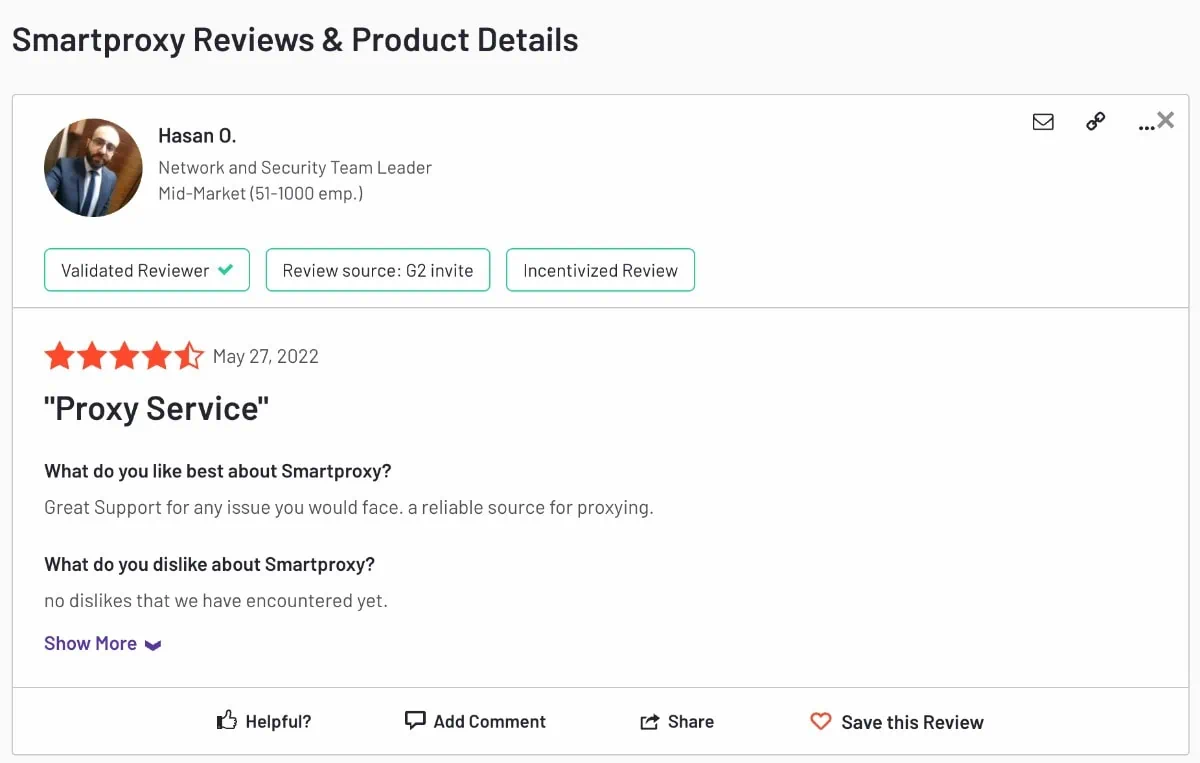
- ✓ All 8 providers on this list are legitimate, registered businesses with published terms of service and privacy policies
- ✓ Residential and mobile IPs are ethically sourced — users of peer networks explicitly consent to share bandwidth
- ✓ Enterprise providers (Bright Data, Oxylabs) are ISO 27001 certified and GDPR compliant
- ✓ KYC requirements at Oxylabs and Bright Data reduce abuse and protect the network quality
- ✓ All providers use SSL-encrypted connections and offer IP whitelisting for authentication
- ✓ None of the providers on this list log your browsing activity — they route traffic, they do not inspect content
Long-Term Reliability
The providers on this list have been operating for multiple years. Decodo (formerly Smartproxy) has been running since 2018. Bright Data (formerly Luminati) since 2014. Oxylabs since 2015. IPRoyal since 2020. These are not fly-by-night services. Proxyway independently benchmarks most of them quarterly, so you have ongoing third-party data to verify claims rather than relying on marketing copy alone.
Worth It? Final Verdict
YES If
- You manage multiple social media accounts and need separate IPs for each
- You regularly encounter geo-blocks on apps or content
- You do app or website QA testing and need to simulate users in different countries
- You run affiliate or ad verification workflows that require clean residential IPs
- You want to hide your IP from your ISP or the sites you visit
NO If
- You mainly want to unblock Netflix or streaming services — dedicated smart DNS or a VPN handles this better
- You need full-device routing including mobile data without root access
- Your primary apps bypass system proxy settings entirely
- You expect a free-forever plan with residential IPs and city targeting — that does not exist
Android Proxies — Frequently Asked Questions
What is an Android proxy and how does it work?
An Android proxy is a server that routes your device’s internet traffic through its own IP address before reaching the destination. Your browser or app sends requests to the proxy server, the proxy fetches the page using its IP, and returns the result to you. The website sees the proxy’s IP — not yours. This lets you appear to be in a different location, hide your real IP, or bypass geo-restrictions.
Do Android proxies require root access?
No. You can configure an HTTP/HTTPS proxy directly in Android’s Wi-Fi settings without rooting your device. Go to Settings > Wi-Fi > Modify network > Advanced options > Proxy > Manual, then enter your proxy hostname and port. Root is only required if you want to route all traffic (including mobile data and apps that ignore system settings) through a proxy app like ProxyDroid.
Which type of proxy works best for Android?
It depends on your use case:
- Residential proxies — best for social media management, bypassing geo-blocks, and any use case where you need to appear as a real home user
- Mobile proxies — highest trust scores on social platforms; best for TikTok, Instagram, and Facebook accounts
- ISP proxies — static IPs for long-running sessions that need consistency
- Datacenter proxies — fastest and cheapest; fine for scraping and testing, not social media
Do Android proxy settings work on mobile data (4G/5G)?
No. Android’s built-in proxy configuration only applies to Wi-Fi connections. If you switch to your cellular (mobile data) connection, the proxy is not applied. For mobile data routing, you need a VPN or a rooted device running a proxy app. None of the providers on this list require root — they all work within Android’s Wi-Fi proxy settings.
Will all my apps use the proxy once I configure it?
Not necessarily. Android’s Wi-Fi proxy settings apply at the system level, but individual apps can choose to ignore them. Web browsers (Chrome, Firefox, Samsung Internet) almost always respect the proxy. Some apps — particularly banking, financial, and security-focused apps — bypass system proxy settings and connect directly. For guaranteed app-level routing, a VPN is more reliable than a proxy.
What is the cheapest Android proxy provider?
Webshare offers 10 datacenter IPs and 1 GB/month completely free — no credit card required. For paid residential proxies, Decodo’s ISP shared proxies start at $0.27/IP, and their datacenter shared pool starts at $0.02/IP. For residential bandwidth, MarsProxies offers non-expiring traffic from $4.99/GB (1 GB), dropping to $1.65/GB at 10,000 GB.
Is Decodo good for Android?
Yes. Decodo is one of the easiest providers to set up on Android. Their residential proxies support standard HTTP/HTTPS and SOCKS5 protocols, they have a free Chrome Extension for browser-level proxying, and their Android integration is explicitly documented. The 3-day free trial with 100 MB lets you test the connection before paying. The $3.75/GB starting rate for residential is competitive for the quality offered.
Can I use proxies for social media management on Android?
Yes, but use residential or mobile proxies — not datacenter. Social platforms like Instagram, TikTok, and Facebook actively detect datacenter IP ranges and flag accounts. Residential IPs from NodeMaven or Decodo have a 95%+ clean rate and look like real home users. Mobile IPs from SOAX or Decodo appear as genuine 4G/5G connections — the highest trust tier on social platforms. Use sticky sessions to keep the same IP across a session.
Do proxy providers offer refunds or trials?
Most do, but the terms vary:
- Decodo: 3-day free trial (100 MB) + 14-day money-back on first purchase (conditions apply)
- Oxylabs: 7-day free trial for verified businesses; 3-day refund policy
- Bright Data: 7-day free trial for companies; 1,000 free scraper API requests
- SOAX: $1.99 paid trial (3 days, 400 MB)
- NodeMaven: $3.50 paid trial (750 MB)
- Webshare: Permanent free plan (no trial needed)
- IPRoyal: No trial, but PAYG traffic never expires
- MarsProxies: No free trial; 1-day plans from $0.99 serve as entry-level test
Are residential proxies legal to use on Android?
Using a proxy to browse the internet, access geo-restricted content, or protect your privacy is legal in most countries. What matters is what you do with it. Legitimate use cases — privacy browsing, geo-testing, market research, social media management — are all fine. Illegal activities (fraud, scraping in violation of terms, credential stuffing) remain illegal regardless of the tool used. All providers on this list have acceptable use policies that prohibit illegal use.
What is the difference between residential and mobile proxies for Android?
Residential proxies use IPs from home broadband connections — real households. Mobile proxies use IPs from actual 4G/5G SIM cards on mobile carrier networks. Mobile IPs typically get higher trust scores on platforms that care about device type (Instagram, TikTok, Facebook), because they appear to come from real smartphones. Residential IPs are more widely available and cheaper per GB. For most Android use cases, residential works fine. For social media at scale, mobile is worth the extra cost.
Can I use a SOCKS5 proxy on Android without root?
Not through the system Wi-Fi proxy settings — Android’s built-in proxy field only supports HTTP/HTTPS. To use SOCKS5 without root, you need a third-party app. Shadowsocks (available on the Play Store) is the most popular option. Some browser apps like Firefox also allow direct SOCKS5 configuration in their network settings. Check whether your provider also offers an HTTP/HTTPS endpoint — most do, and that works natively in Android settings.
Final Verdict
The android proxies market in 2026 is well-served. There is a legitimate provider for every budget — from Webshare’s permanent free tier for casual users to Bright Data‘s 400M+ IP enterprise network for teams running large-scale automation. The key is matching the best android proxy to your specific use case rather than defaulting to the cheapest or most well-known name.
✓ What We Love
- Decodo’s combination of free trial, fast setup, and competitive per-GB pricing
- NodeMaven’s IP quality filter — 95%+ clean rate for social media work
- SOAX’s unified plan covering residential, mobile, ISP, and datacenter in one balance
- Webshare’s genuinely free forever tier — 10 IPs and 1 GB/month at no cost
- MarsProxies’ non-expiring traffic — no monthly pressure to use what you paid for
- Oxylabs and Bright Data for enterprise users who need insurance, SLAs, and compliance
✗ What Could Be Better
- Android’s built-in proxy system is limited — no mobile data support, app bypass is common
- IPRoyal’s residential PAYG rate ($7.35/GB) is high compared to NodeMaven or Decodo at volume
- Bright Data requires KYC that can take up to 3 business days — not ideal for quick testing
- MarsProxies’ mobile proxy coverage is limited to 15 countries
- Webshare residential lacks city and ASN targeting — country level only
Ready to Use a Proxy on Your Android Device?
Decodo gives you a 3-day free trial with 100 MB of residential traffic, full Android support, and some of the best per-GB pricing on the market. Setup takes under 5 minutes.